

- Who it's for
- Dealers selling a stone face to face who want it verified for the buyer.
- What you need ready
- The stone in your inventory, priced under $10,000 (a T0 stone).
- The buyer's email or phone number.
- How long it takes
- Two minutes to book. The desk then books the check and confirms it to you.
- What it costs
- $750 for the verification and Passport — paid by the buyer, or by you, as you choose.
What it does
At the counter sends a request to our desk: verify this stone and issue its Passport for the buyer in front of you. Nothing is charged on this screen, and nothing is sent to the buyer automatically.
Book it
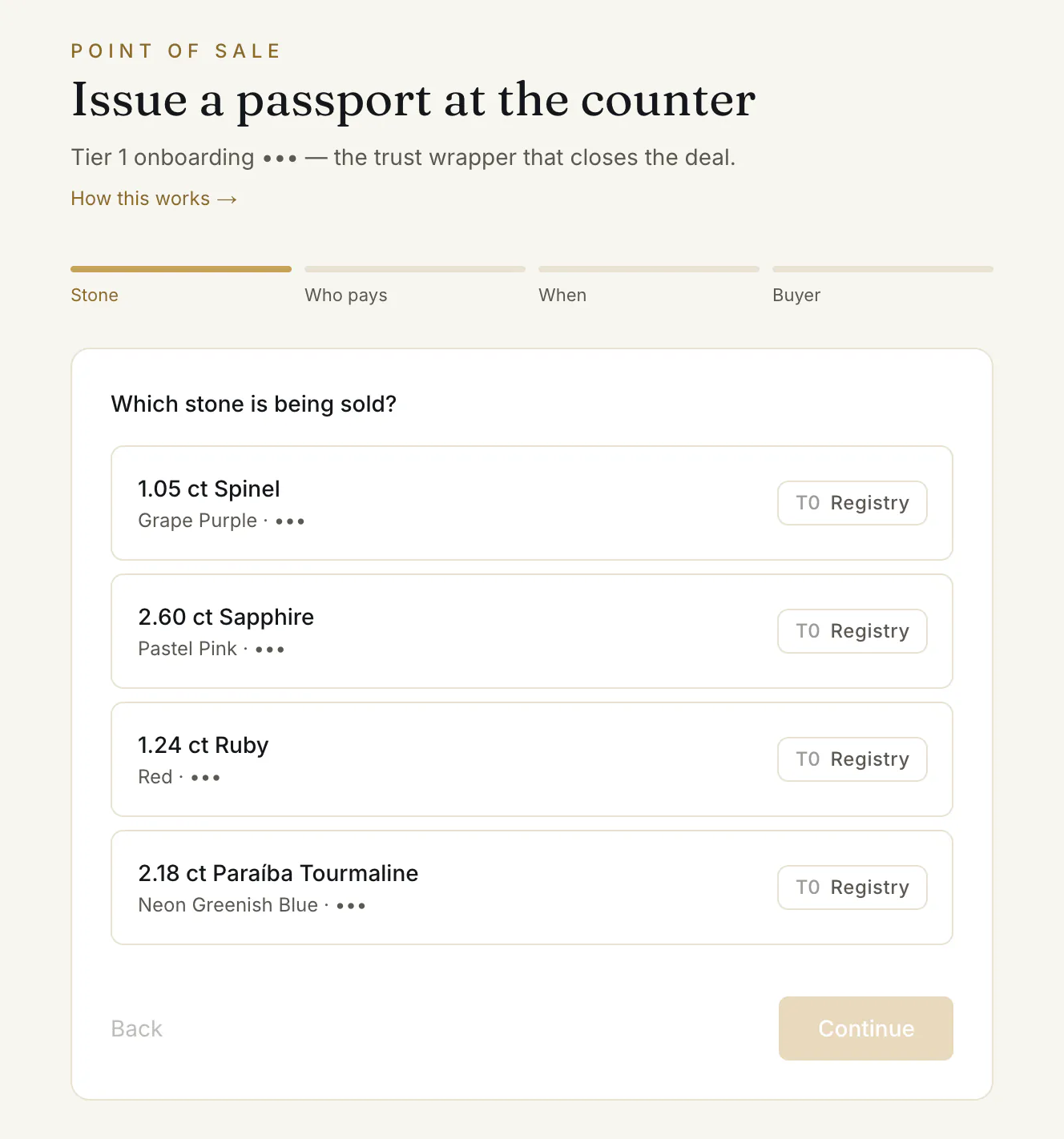
- 1.Open At the counter in the menu: “Issue a passport at the counter”. Four steps follow ①, each with Continue ③.
- 2.“Which stone is being sold?” — pick the stone from your list ②. Only stones under $10,000 are shown.
- 3.Who pays the $750 onboarding — The buyer, so the Passport is theirs from day one, or You (bundled), absorbed in your price as a closing tool. “Nothing is charged on this screen — the desk settles the payment with whoever you choose.”
- 4.“How soon does it need verifying?” — As soon as possible, Within the week, or Call me to arrange it. This is a preference, not a booked time.
- 5.“Buyer contact” — their email or phone, so the desk can reach them about the verification and the hand-over.
- 6.Press Send to the desk.
The page answers “With the desk.”
What happens next
The desk books the check with a gem lab, confirms the time to you and arranges the payment with whoever pays — there is no invoice from this screen. The Passport goes live once the stone has been physically verified; you then give the buyer its QR code or the link to its public page.
Common problems
My stone is not in the list
The list shows only stones in your inventory priced under $10,000. Add the stone first with Add a stone — see List a stone for sale.
“Pick a timing and leave a buyer contact.”
Both are needed before Send to the desk works.
Read next
- RelatedYour dealer cabinet: dashboard, inventory, deals and the counterWhat each part of the dealer cabinet is for — the dashboard's next step, the inventory table, the Selling and Buying tabs, At the counter and Source stones.
- RelatedListing a stone: the form, the checks, and going liveHow to add a stone and put it on the shop — identity, lab report, origin and treatment, price band, delivery terms and documents — and what the buyer then sees.
Something here doesn't match what you see? Tell us — write to the desk.