

How it works
From the lot page to the stone in your hands.
Every seller verified, every lot saying what has been checked, every payment held until you confirm the stone. Here is each step, and who does what.
The whole deal, at a glance
Five steps, one protected payment
The seller is verified
A business by its company papers, an owner by their ID — before anything is listed.
The lot says what's checked
From the seller's word to the stone checked by hand, on every lot — never rounded up.
Your payment is held
You pay through Everystone. Nothing reaches the seller yet.
The stone reaches you
Delivered insured or collected — then 48 hours to check it.
The seller is paid
Only once you accept the stone.
Buying
Buying, step by step
Who acts at each step — you, the seller or Everystone — and the words your order page shows when it gets there.
A purchase, step by step
- You
Order
Buy with protected payment, choose what to add and how the stone reaches you, then Confirm & pay.
Reserved for you for 24 hoursYour order page says “Awaiting your payment”
- You
Pay
Send the exact amount in USDT, then give its TX ID — the payment counts once we have it. The money is held until you confirm the stone.
Your order page says “Payment received”
- The seller
Confirms the stone
If you added a lab check, a Passport or custody, its payment is due now — the second one.
Within 48 hours, 96 hours at mostYour order page says “Under way”
If not
Not confirmed in time, or not available
The order closes and your payment comes back in full.
Your order page says “Not available”“Refunded”
- The seller
Sends it to you
Shipped insured with a tracking number, or handed over by appointment — once your side is complete: any second payment in, your identity check verified.
Your order page says “On its way to you” or “Handed over — confirm you have it”
- You
Say you have it
I've received the stone — or our desk marks it delivered from the tracking, whichever comes first. A stone placed in custody in your name: our desk's mark.
Your order page says “Received — your 48-hour check”
- You
Check it
Confirm the stone. Silence counts as acceptance.
48 hoursYour order page says “Accepted — the stone is yours”
If not
It does not match its listing
A dispute, with the written conclusion of a gem lab or a jewelry store of your choice: the stone goes back to be checked, and the payment stays held.
Your order page says “Dispute under review”“Dispute — send the stone back”
- Everystone
Pays the seller
Only after you accept the stone.
Your order page says “Completed”
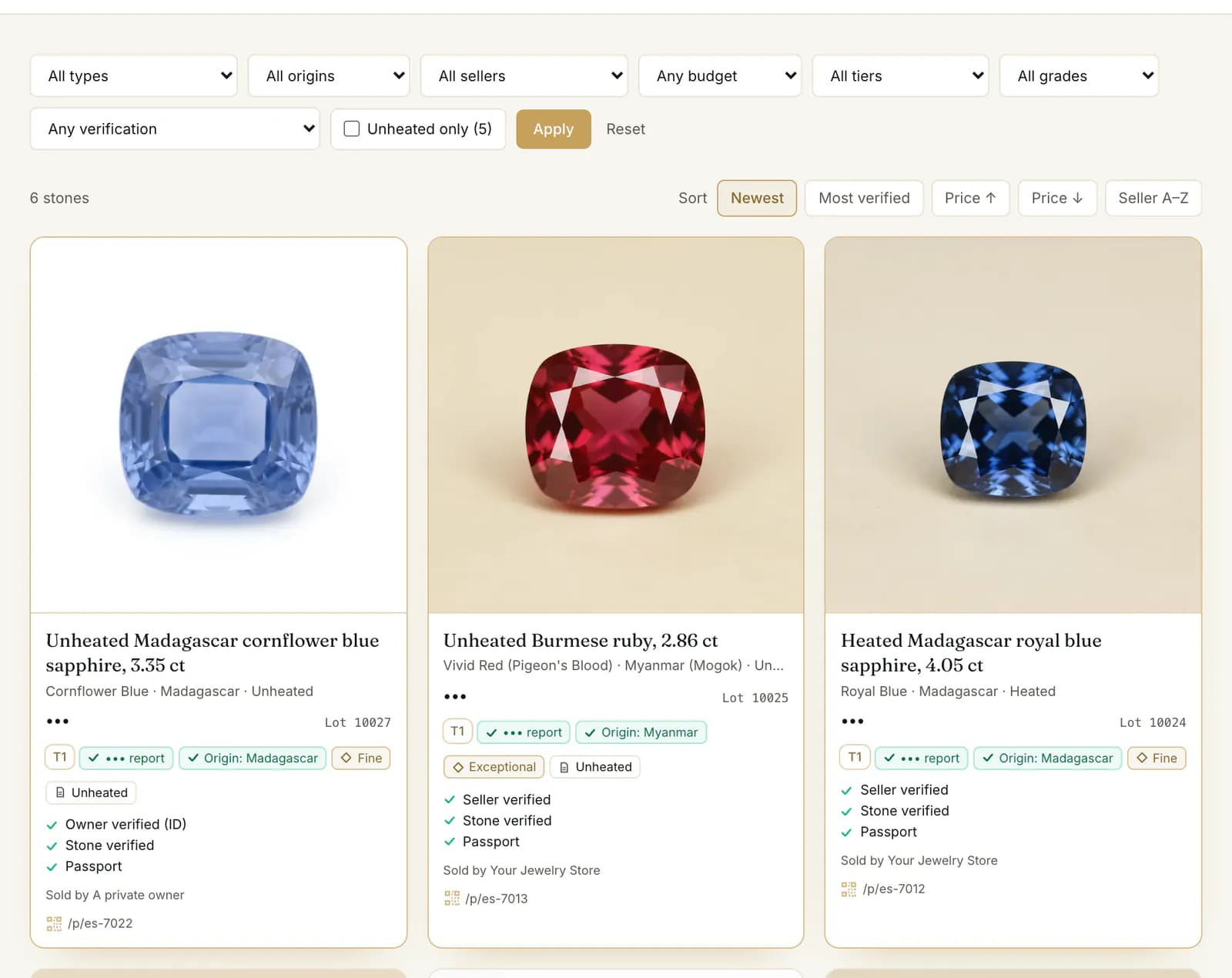
The shopEvery lot says what has been checked about the seller and the stone. Filter by the depth you want. 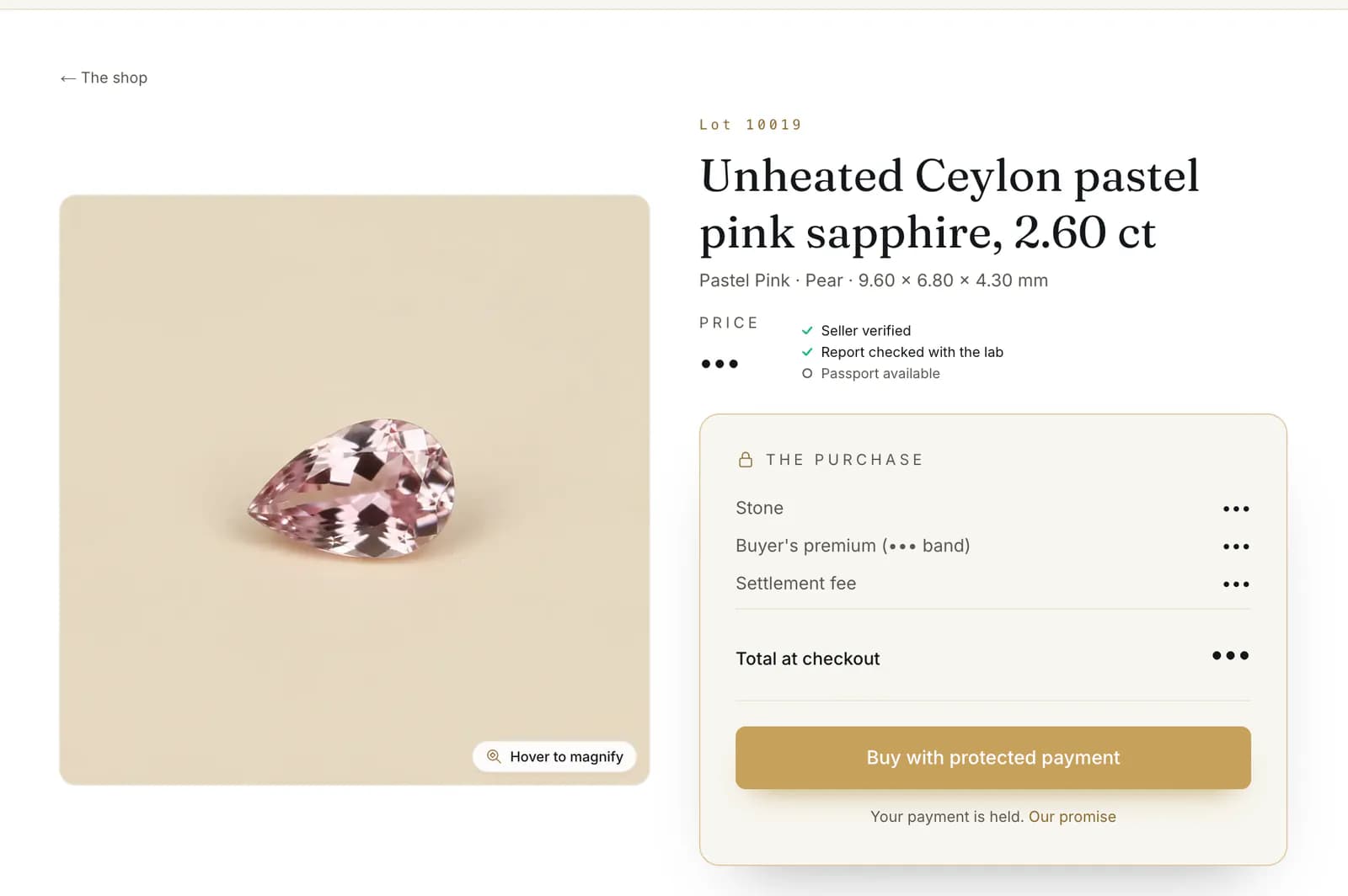
A lotThe stone's facts, its checks, and the whole price before you pay. 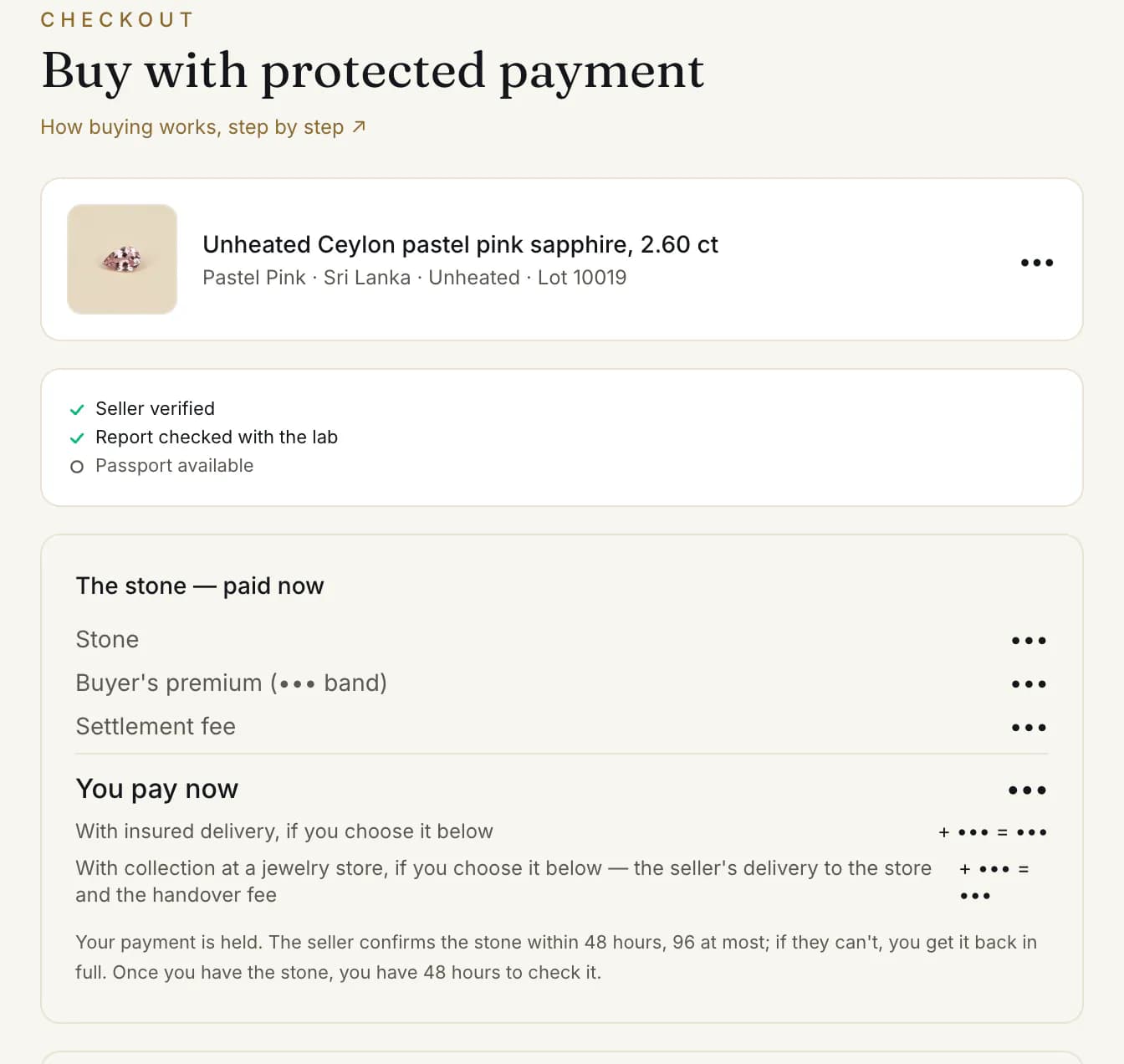
The checkoutWhat you pay now, and what you can add: an independent lab check or a Passport. 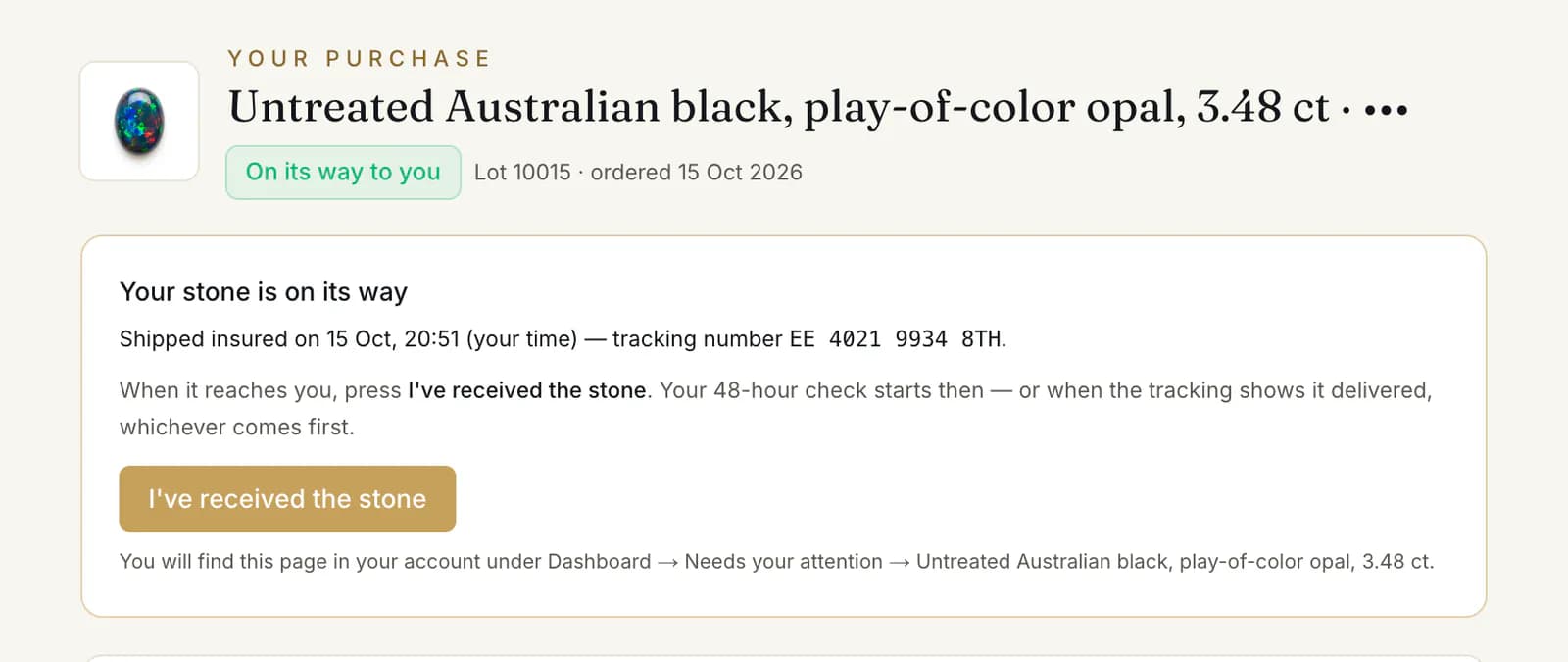
Your orderWhere it stands, how it ships, and the button you press once the stone is in your hands.
The money
Where your money is, at every moment
Two payments at most: the stone, held until you accept it, and — only if you added something — a second one once the stone is confirmed.
Where your money is
1 · The stone — paid when you order
You pay
Price + buyer's premium + settlement fee
Held
Held until you confirm the stone
When you accept
Released to the seller
If not
Back to you in full
2 · Only if you added something — after the stone is confirmed
You pay
A lab check, a Passport or custody
Once
Paid once, not refundable
It pays for
The work you chose
The check marks
What the check marks mean
Every lot carries one of four levels. A lab certificate can sit at any of them; what moves a stone up is how much our side has checked.
The four levels of a check
- Seller-declared
Only the seller is verified. The facts and photos are the seller's own.
- Card
- ○ Stone as declared by the seller
- The lot
- Seller-declared
- Public page
- none
- Paper cross-checked
The report was confirmed with the lab that issued it. Nobody on our side has seen the stone.
- Card
- ✓ Report checked with the lab
- The lot
- Partly verified
- Public page
- yes, with a QR code
- Verified: paper = this stone
A verifier held this stone and measured it against its report.
- Card
- ✓ Stone verified · ✓ Passport
- The lot
- Full verification
- Public page
- yes, with a QR code
- In custody — passport reflects title
The stone is in a vault. While it stays there, its passport matches this stone and this owner.
- Card
- ✓ Stone verified · ✓ In custody
- The lot
- Full verification
- Public page
- yes, with a QR code
What you can add
A lab check, a Passport, custody
Optional, for any stone, each priced before you choose: an independent lab check, the Passport ($750 once), custody (3.5% a year, with the Passport).
Price bands and what you can add
- T0RegistryUnder $10,000
You can add
- Independent lab check$51 to $166, the lab's own fee
- orEverystone Passport$750
- T1Passport$10,000 to under $30,000
You can add
- Everystone Passport$750
- T2CustodyFrom $30,000
You can add
- Everystone Passport$750
- orPassport and custody$1,500, then 3.5% of the stone's value a year
Delivery
How the stone reaches you
Insured delivery on the seller's terms — in the price, or a charge from $60 shown before you pay — or collect it: free in Bangkok, or at a jewelry store for a $30 handover fee.
How the stone reaches you
Insured delivery to you
Shipped insured, with a tracking number. What it costs, as the lot says:
- “included in the price”
- The seller's charge, paid now with the stone
- from $60, quoted for your country once the stone is confirmed — in the second payment
Collect in person
Free. By appointment — with the seller, or at a place our desk arranges — and handed to you against a signed receipt.
Collect at a jewelry store
Any stone that ships can go to a jewelry store you pick at checkout instead of your door. A $30 handover fee is paid with the stone. You collect it with your ID; the store presses Handed over to the buyer.
Custody — nothing travels
Add custody and the stone goes into the vault in your name. Buy a stone already in custody: “Kept in custody in your name: the stone stays in the vault and the title moves to you.”
Selling
Selling, step by step
Your sale page says where the sale stands and what to press: confirm the stone, ship it or hand it over, and get paid once the buyer accepts it.
A sale, from your side
“Reserved — the buyer is paying”
Nothing to do yet. Keep the stone for the buyer; the lot can't be withdrawn meanwhile.24 hours, 48 hours at most“Paid — confirm the stone”
Confirm the stone — or Not available if you no longer have it.Within 48 hoursUnconfirmed at 96 hours, the order closes and the buyer is refunded.
Payment held“Confirmed — under way”
Ship it insured, enter the Tracking number and Seal number, press Shipped. Or hand it over, then Handed over to the buyer. The buyer then confirms they have it. If they added a check or custody, our desk arranges the hand-over.Payment held“Delivered — the buyer is checking”
The buyer checks the stone; silence counts as acceptance. A dispute: see below.48 hours
Payment held“Accepted — payout due”, then “Paid out”
You receive your price, less any commission, plus your delivery charge if you set one.
If the buyer disputes the stone
“Disputed — the stone comes back to be checked”. The buyer has 48 hours to send it back, insured. When it arrives, press The stone has arrived, then It is the stone I sent — the buyer is refunded and you keep the stone — or It is not the stone I sent, with proof, for our desk to decide. Not sent back in time, the sale stands. A private owner's stone is checked by our desk.
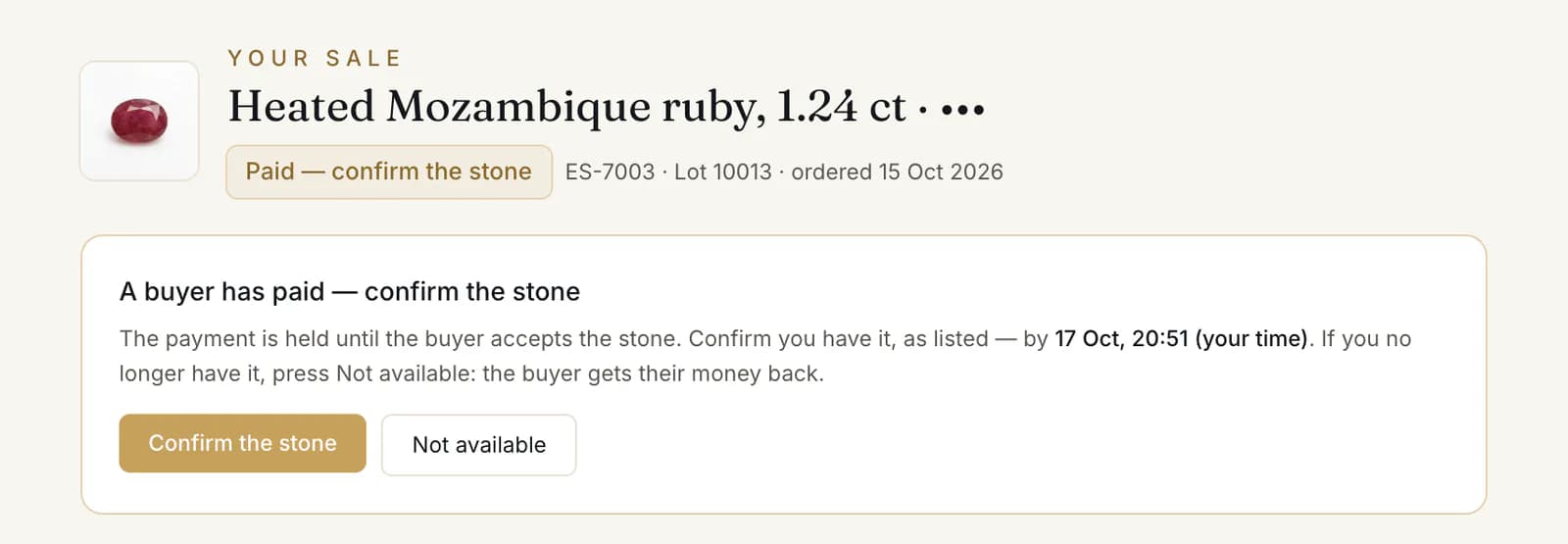
A buyer has paidWhere the sale stands, and the one button to press: confirm the stone. 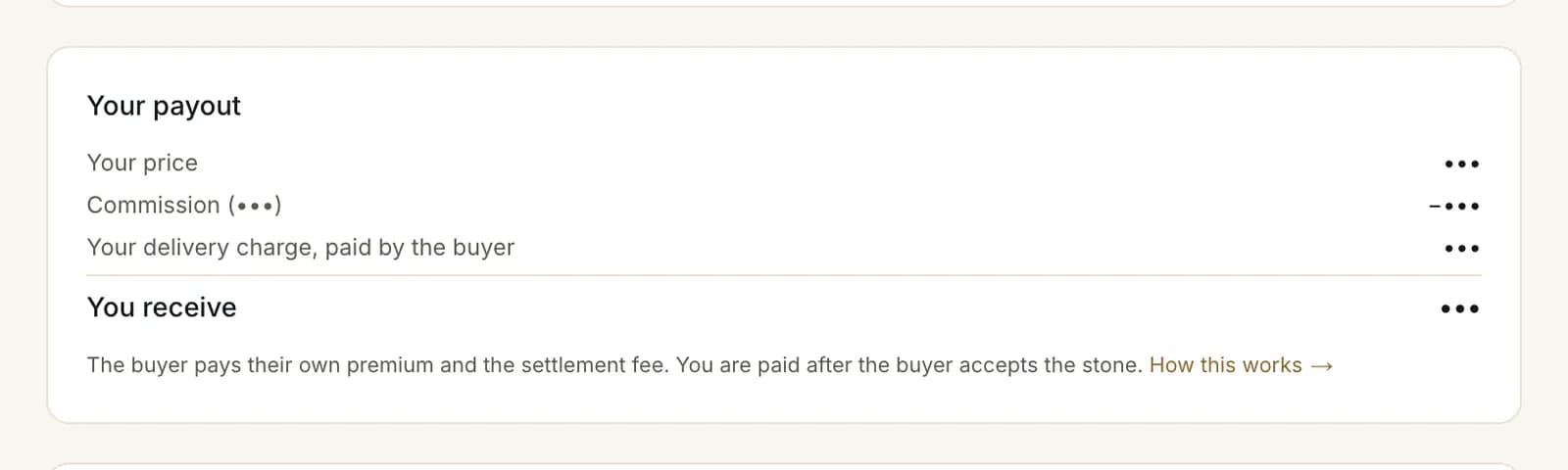
Your payoutYour price and what you receive, paid once the buyer has accepted the stone.
The Academy
Step by step, on the real screens
Short guides to every step, each with screenshots of what you will see.

Create an account and confirm your email
Three fields and a confirmation link: how to register, confirm your address and sign in — and what to do if the link has expired or you forgot your password.
Read the guide
Choose how you use Everystone
Every account opens as a buyer. How to add a dealer, jewelry store or owner workspace — or watch a demo first — and how to switch between them.
Read the guide
Verify your business: the two-step KYB wizard
Company details, then two documents. What you can do while the desk reviews them, how the decision reaches you, and how to resubmit after a return.
Read the guide
Reading a lot: the check marks, the card colours, the seals and the passport
What ✓, ▭ and ○ mean, why a card is white, champagne or graphite, what its seals and the verification levels say, and when a stone has a passport.
Read the guide
The identity check: when it is needed and how to pass it
A short check of who you are: name, country and a photo of your ID. When a buyer or a private seller needs it, how to send it, and what if it is returned.
Read the guide
Look at real stones
Every lot on the shop says what has been checked about it. Looking takes no account.