

Listing a stone: the form, the checks, and going live
How to add a stone and put it on the shop — identity, lab report, origin and treatment, price band, delivery terms and documents — and what the buyer then sees.
Updated · 4 min read
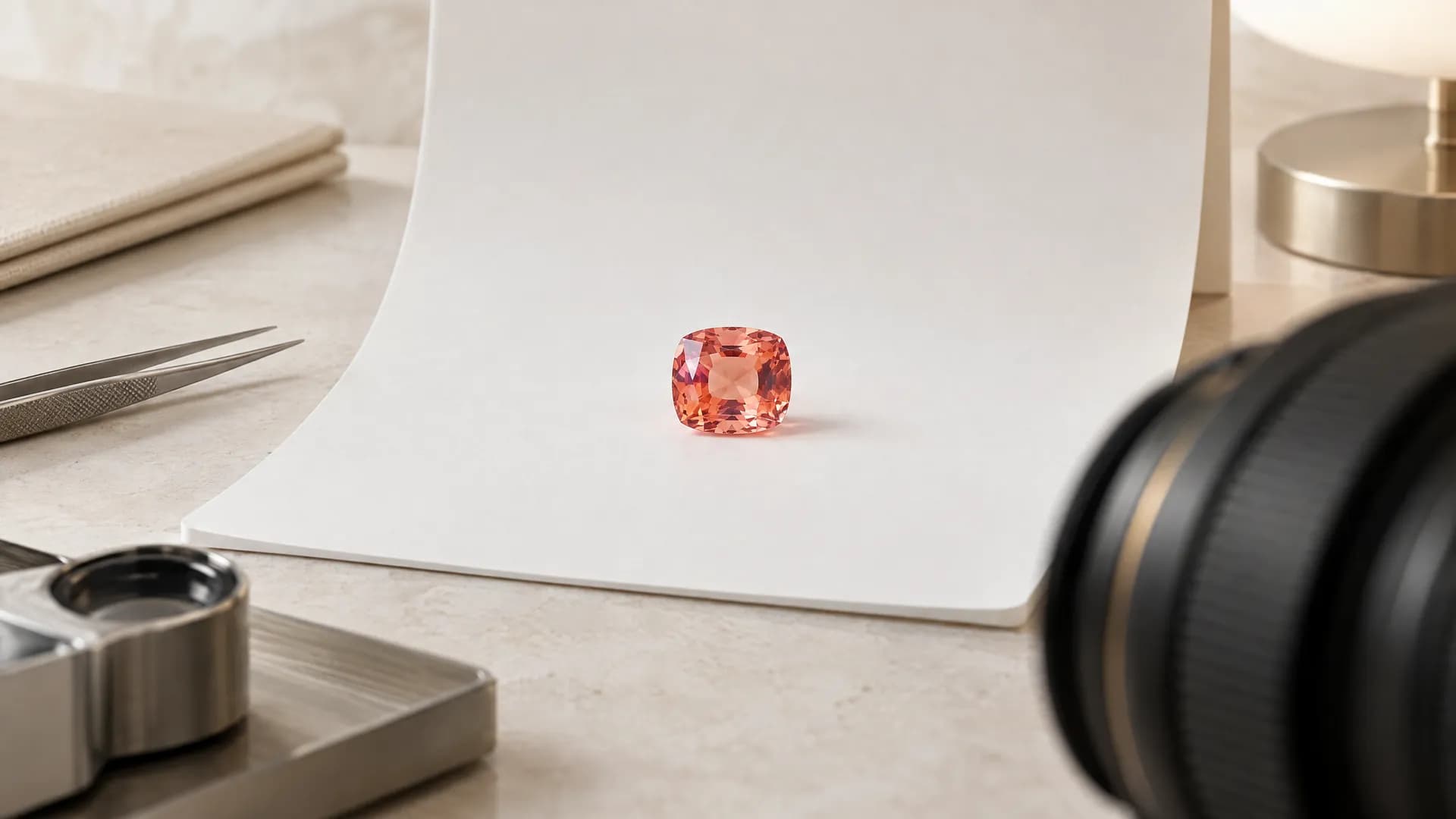 Illustration
- Who it's for
- Dealers and jewelry stores.
- What you need ready
- A photo of the stone — macro, on a neutral background. A phone photo works.
- Its weight, colour, shape, origin and treatment.
- The lab report number and date, if the stone has a report.
- Dealers: an invoice, a consignment agreement or other proof of your right to sell, as a PDF or a photo.
- How long it takes
- A few minutes per stone.
- What it costs
- Listing is free. When the stone sells: no commission while we launch under $10,000, 5% from $10,000.
Open the form
Press Add a stone on your dashboard or in your inventory. The form has four blocks.
A · Identity
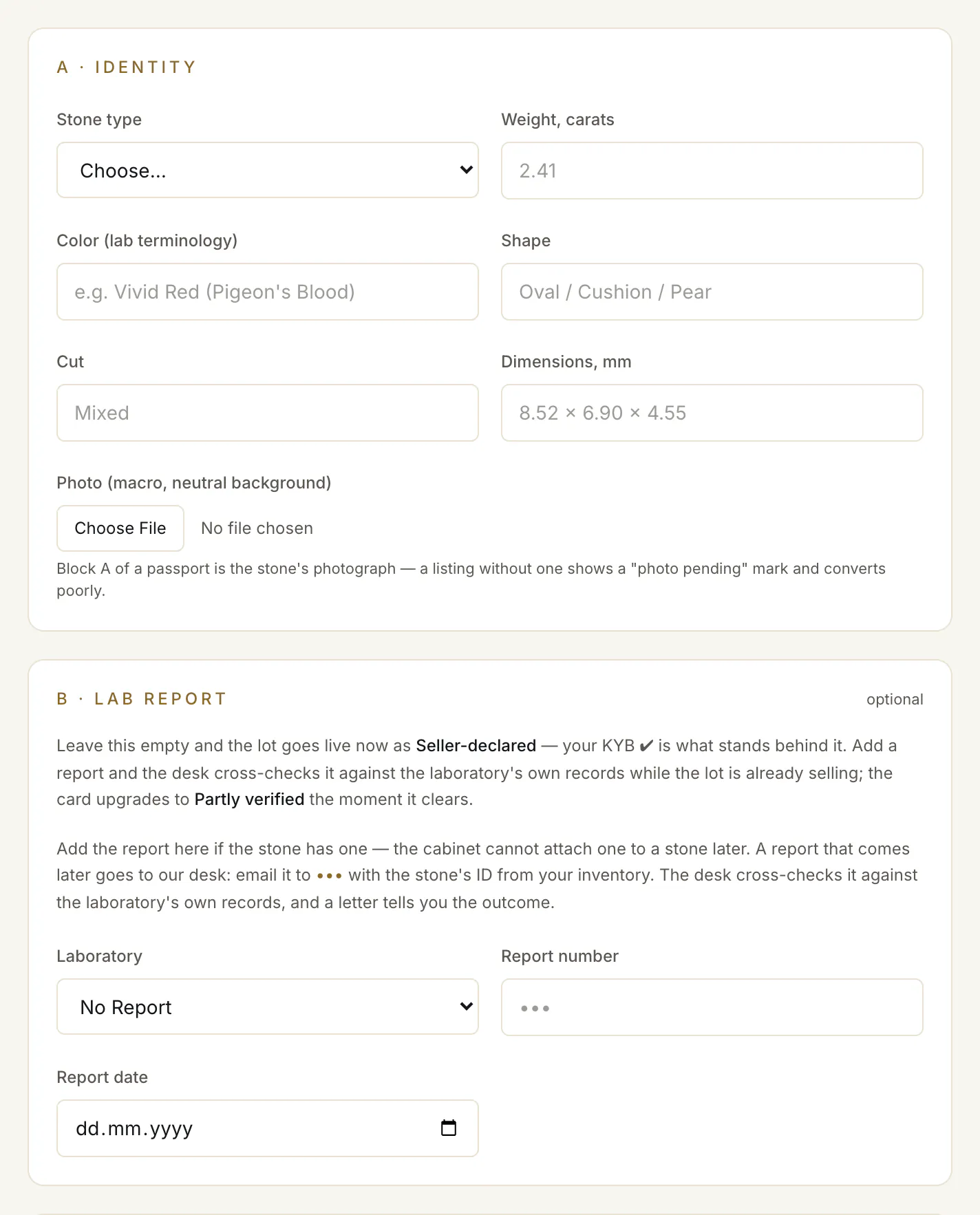
Stone type ①, Weight, carats, Color (lab terminology), Shape, and if you have them Cut and Dimensions, mm.
Photo (macro, neutral background) ② — on a phone it opens the camera. A lot without a photo shows a "photo pending" mark and sells less well.
B · Lab report (optional)
Laboratory ③, Report number ④ and Report date. What you put here decides what the buyer is told:
- Left empty: the lot goes live as “Seller-declared”. Your business verification is what stands behind it.
- Filled in: the lot goes live at once, and the desk cross-checks the report against the laboratory's own records while it is selling. When the check clears, the lot gains its tick (✔) and you get a letter.
A report needs both: “A report needs both a laboratory and its number — or leave both empty and list as seller-declared.”
The four levels of a check
- Seller-declared
Only the seller is verified. The facts and photos are the seller's own.
- Card
- ○ Stone as declared by the seller
- The lot
- Seller-declared
- Public page
- none
- Paper cross-checked
The report was confirmed with the lab that issued it. Nobody on our side has seen the stone.
- Card
- ✓ Report checked with the lab
- The lot
- Partly verified
- Public page
- yes, with a QR code
- Verified: paper = this stone
A verifier held this stone and measured it against its report.
- Card
- ✓ Stone verified · ✓ Passport
- The lot
- Full verification
- Public page
- yes, with a QR code
- In custody — passport reflects title
The stone is in a vault. While it stays there, its passport matches this stone and this owner.
- Card
- ✓ Stone verified · ✓ In custody
- The lot
- Full verification
- Public page
- yes, with a QR code
C · Origin & treatment
Origin country and Treatment.
Listing
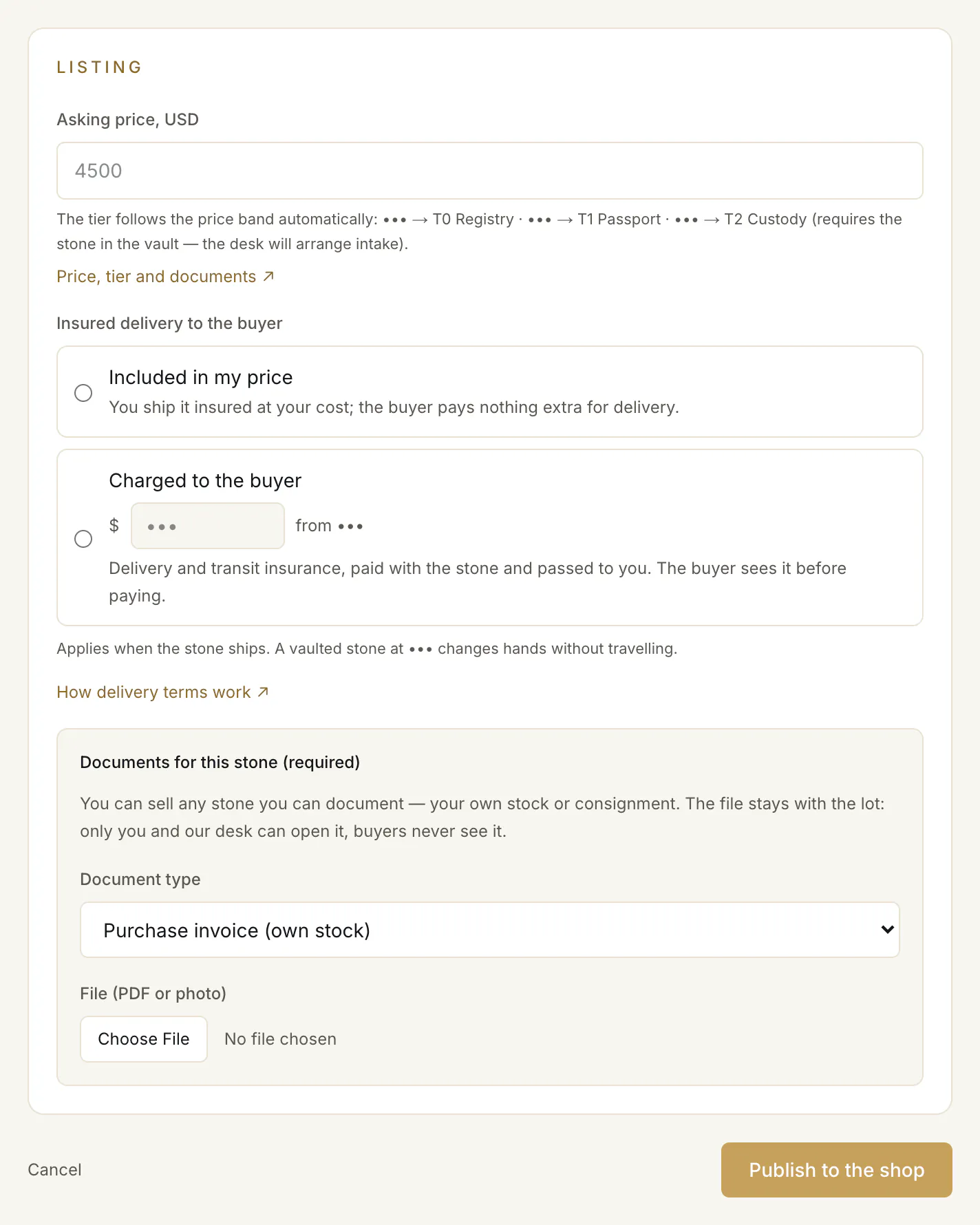
- 1.Asking price, USD ①. The tier follows the price: under $10,000 is T0, from $10,000 to $30,000 T1, from $30,000 T2. A T2 lot needs the stone in the vault first, so the form refuses a price from $30,000 for a new stone — list it below $30,000, or ask the desk to arrange custody intake.
- 2.Your delivery terms ②: insured delivery included in your price, or charged to the buyer. See Delivery terms.
- 3.The documents for this stone ③.
- Dealer: Document type — Purchase invoice (own stock), Consignment agreement or Other proof of right to sell — and File (PDF or photo). Both are required.
- Jewelry store: “Origin of your inventory (required)”, with a file if you have one. See Jewelry stores.
Publish
The button ④ follows your business verification.
- Your business is verified: press Publish to the shop. The lot is on the shop at once — nobody reviews it first. Your inventory says “Live on the shop as” and the lot's label, “Seller-declared” for a new stone — and, if you gave a report, that it is with the desk.
- Your verification is still in review: press Save as a draft. The lot waits for the approval: “Saved as a draft — it goes on the shop in one click the moment your business verification (KYB) is approved.”
What the buyer sees
Your lot shows “Seller verified”, the stone's line (see Reading a lot) and what the buyer can add. The buyer sees your price, and pays the buyer's premium and the settlement fee on top of it — you receive your price, less any commission, plus your delivery charge if you set one.
After it is live
- If the desk has a question about the report, your inventory shows “The desk asks:” with it. Reply to the desk's letter.
- If the report is confirmed, the stamp and the card's line change, and a letter tells you.
- If it cannot be confirmed, the inventory shows “Not confirmed:” with the reason. The lot stays on the shop as Seller-declared.
List a stone you already hold
A stone in your inventory that is off the shop has List for sale. The page asks for the price, the delivery terms and the documents again; press Publish to the shop (Save as a draft while your verification is in review). With your business verified, it goes on the shop straight away, and your inventory names the label it carries — a stone the desk has already checked keeps its tick. A stone already in custody can be listed from $30,000 and sells from the vault, without travelling.
Take a lot off the shop
Withdraw in your inventory. Not while a buyer's order holds the stone: “A buyer has ordered this stone — the lot stays until their order ends.”
Common problems
“Check the required fields”
“Check the required fields — type, weight, color, shape, origin and price.”
The form refused my price
From $30,000 a stone must be in the vault first. List it below that, or write to the desk about custody intake.
“The documents block is required”
A dealer's lot needs a document type and a file: “The documents block is required to list the stone.”
Read next
- Next in DealersDelivery terms: included in your price, or charged to the buyerThe one delivery question on every listing — insured delivery included in your price, or a charge you state — what the buyer sees, and how it is paid to you.
- RelatedWhen a buyer pays: confirm the stone, send it, get paidWhat to do when a buyer pays for your stone: confirm it within 48 hours, ship it insured with tracking and seal numbers or hand it over, and when you are paid.
- RelatedReading a lot: the check marks, the verification levels and the passportWhat ✓ and ○ mean on a card, what the four verification levels say, when a stone has a public passport, and how to filter the shop by what is checked.
Something here doesn't match what you see? Tell us — write to the desk.