

Bring in a stone you already own
How to tell the desk about a stone you own — to record it, verify it, vault it or sell it — and how to follow the request until it joins your collection.
Updated · 2 min read
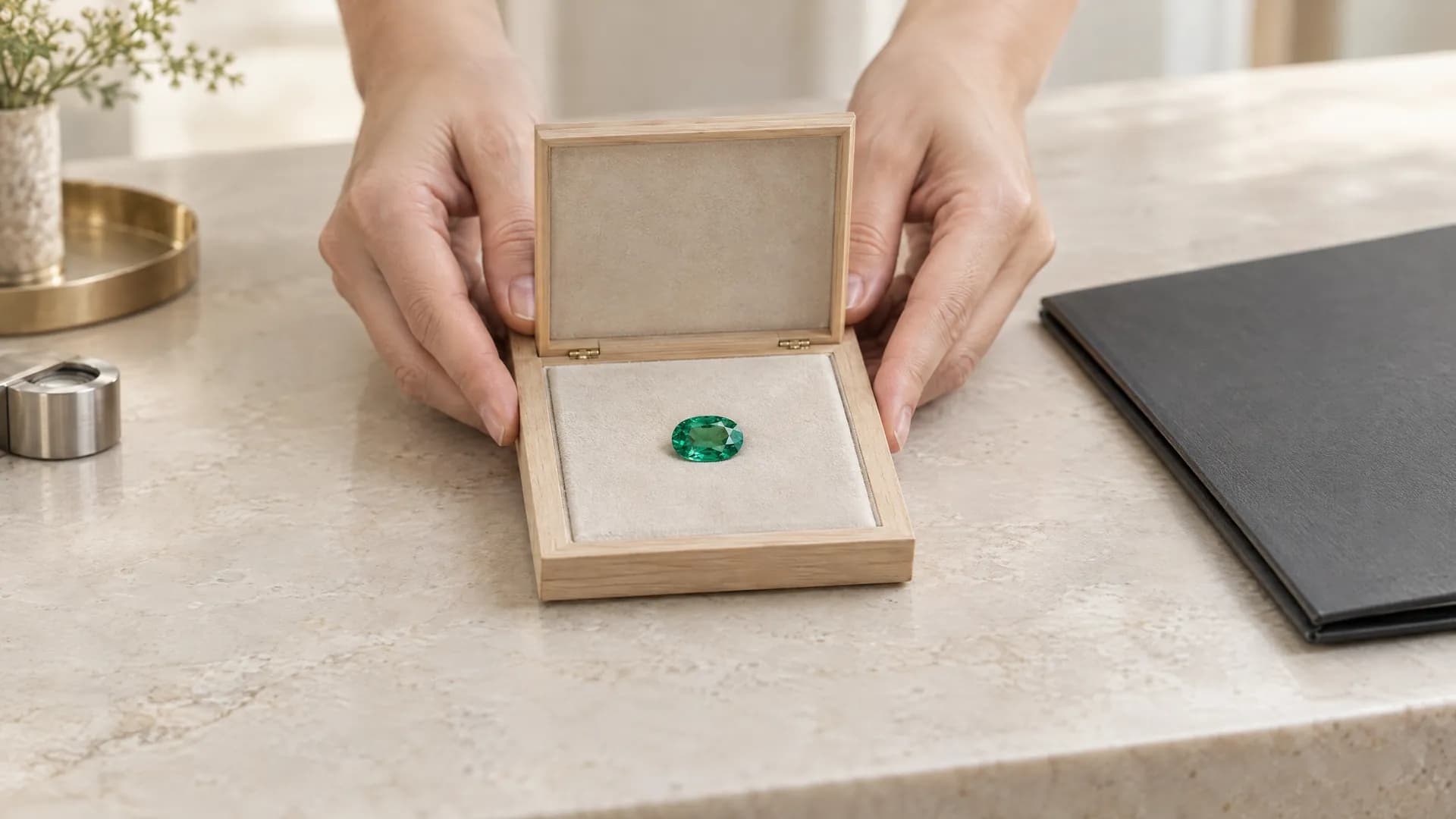 Illustration
- Who it's for
- Private owners and collectors with a stone bought elsewhere.
- What you need ready
- The stone type and its carat weight.
- Its lab report number, if it has a report.
- Your own estimate of its value, if you have one.
- How long it takes
- Two minutes to send. The desk comes back within one business day.
- What it costs
- Sending the request and a Registry record are free. A Passport is $750 once; custody is 3.5% of documented value a year, from $1,500 onboarding, arranged stone by stone.
Where to start
- New account: on your dashboard card, I own a fine stone → Bring in a stone.
- Any account: the workspace switcher at the top left → + Add a role → I own a fine stone.
- Already an owner: Bring in a stone in the Owner menu.
All three open the same form.
Fill in the form
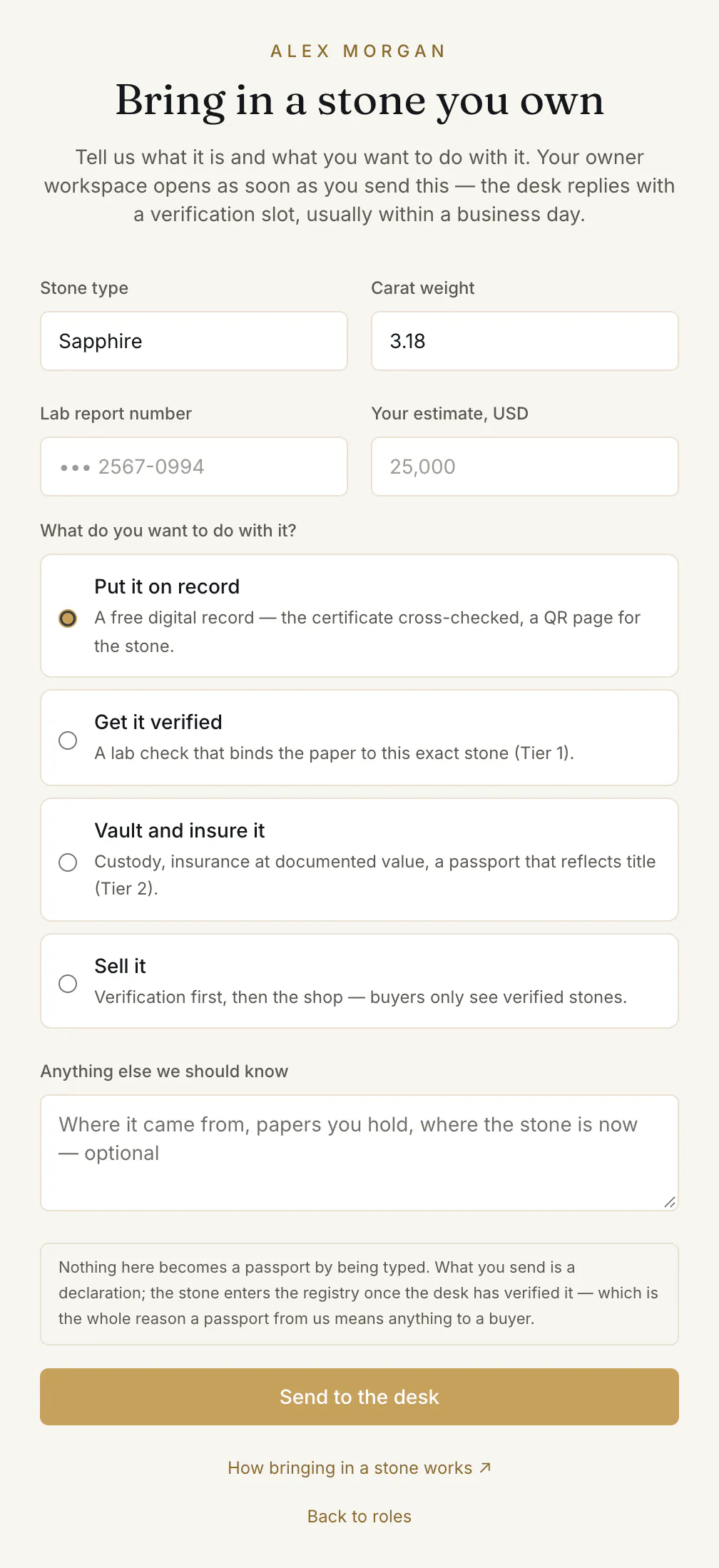
- 1.Stone type and Carat weight ①.
- 2.Lab report number if the stone has a report, and Your estimate, USD ②. Both are optional.
- 3.“What do you want to do with it?” ③ Choose one:
- Put it on record — a free digital record: the certificate cross-checked, a QR page for the stone.
- Get it verified — a lab check that binds the paper to this exact stone (Tier 1).
- Vault and insure it — custody, insurance at documented value, a passport that reflects title (Tier 2).
- Sell it — the stone is verified first, then it can go on the shop.
- 4.Anything else we should know ④ — where it came from, the papers you hold, where the stone is now. Optional.
- 5.Press Send to the desk ⑤.
What happens next
Your Owner workspace opens at once with “Your stone is with the desk.” The desk comes back with the route and a verification slot: “We come back within one business day with the route and a verification slot.”
Until the stone has been seen, it sits on your dashboard under “Brought in — awaiting verification” — without a tier badge, a stamp or a passport page.
How a stone joins your collection, and what you can do with it
Bought on Everystone
Moves in when the purchase is accepted
Bought elsewhere
Bring in a stone
Owner workspace
“Your collection”
Keep it
On record, with its passport
Its public page is there from one tick (✔). A Passport is $750, once.Vault it
Custody
3.5% of documented value a year, all-in — Passport and custody when you buy from $30,000, or Vault and insure it when you bring one in.Sell it
Sell this stone
With your identity verified. The owner account, $20 a month, is paid when a lot goes live; commission: no commission while we launch under $10,000, 5% from $10,000.
Follow it on the Intake page
Intake in the Owner menu shows “What the desk is working on”, one card per stone, with three stages: “With the desk” ①, “Being handled” ② and “Complete”.
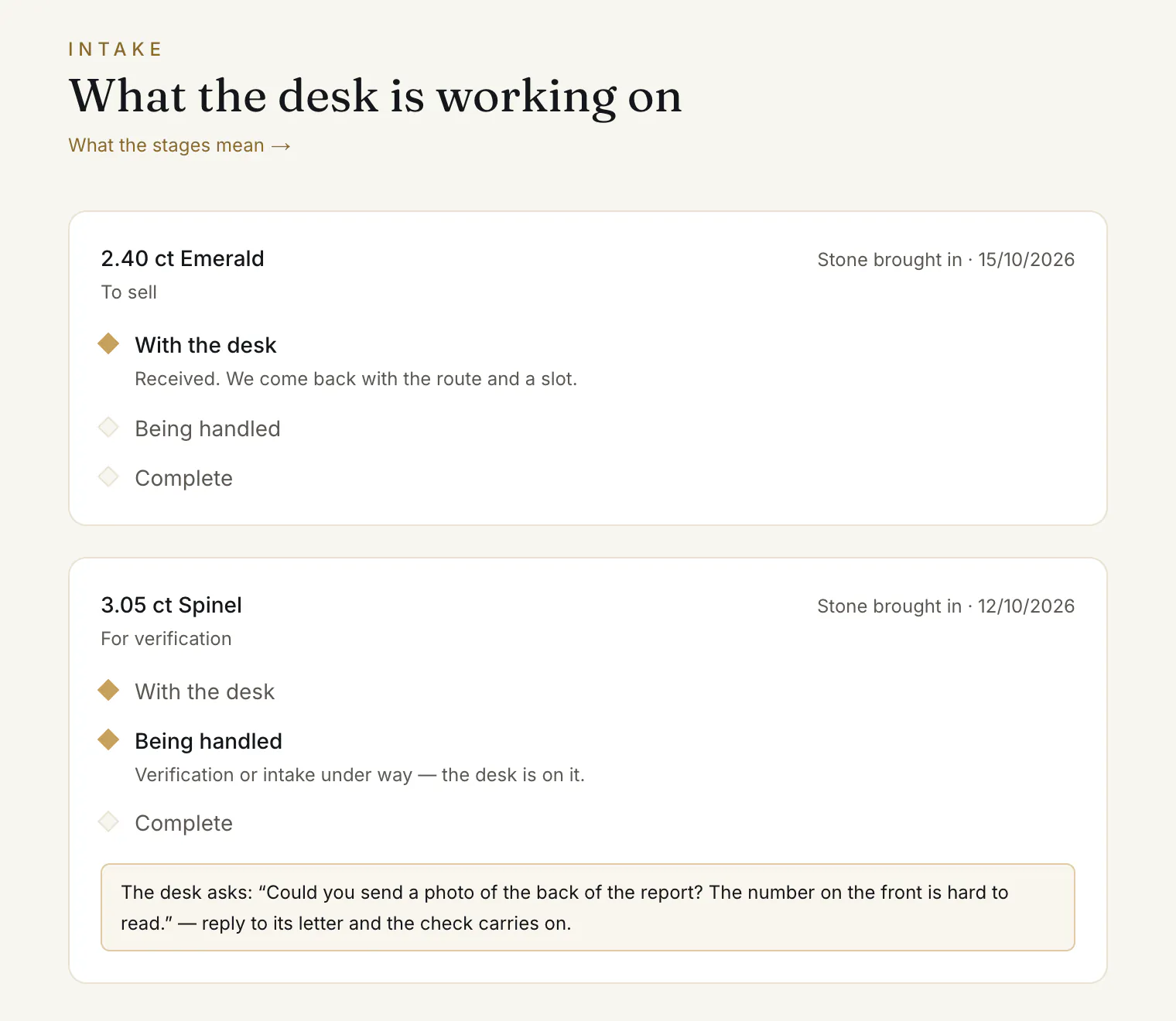
- If the desk needs something from you, the card says “The desk asks:” ③ with the question. Reply to its letter and the check carries on.
- When the stone is verified, it moves to your collection with its passport, and the card offers Open it in your collection →.
- If the desk cannot take it on, the card says “The desk could not take this one on.” with the reason.
Common problems
Can I put it on sale straight away?
No. A stone can be sold from your collection once the desk has verified it — see Sell a stone you own. Choosing Sell it tells the desk that is your aim.
I bought the stone on Everystone
Then there is nothing to bring in. Where a stone you buy here already has a record with us, it moves into your Owner workspace when the purchase is accepted.
I want to bring in several stones
Send the form once per stone. Each becomes its own card on the Intake page.
Read next
- Next in Collectors & ownersYour collection: passports, custody and billingWhat the Owner workspace shows and what stays private, how custody is charged and where you see it, and who to name for your heirs.
- RelatedSelling a stone you own, as a private ownerHow a private owner puts a stone from their collection on the shop — identity check, price, delivery terms, the owner account, the review — and the costs.
- RelatedThe identity check: when it is needed and how to pass itA short check of who you are: name, country and a photo of your ID. When a buyer or a private seller needs it, how to send it, and what if it is returned.
Something here doesn't match what you see? Tell us — write to the desk.