

Your collection: passports, custody and billing
What the Owner workspace shows and what stays private, how custody is charged and where you see it, and who to name for your heirs.
Updated · 3 min read
 Illustration
- Who it's for
- Owners — after buying a stone here, or once a stone you brought in has been verified.
- What you need ready
- An Owner workspace.
- How long it takes
- A few minutes to look around.
- What it costs
- Custody is 3.5% of documented value a year, all-in. The owner account, $20 a month, is paid only to put a lot on sale.
How a stone arrives here
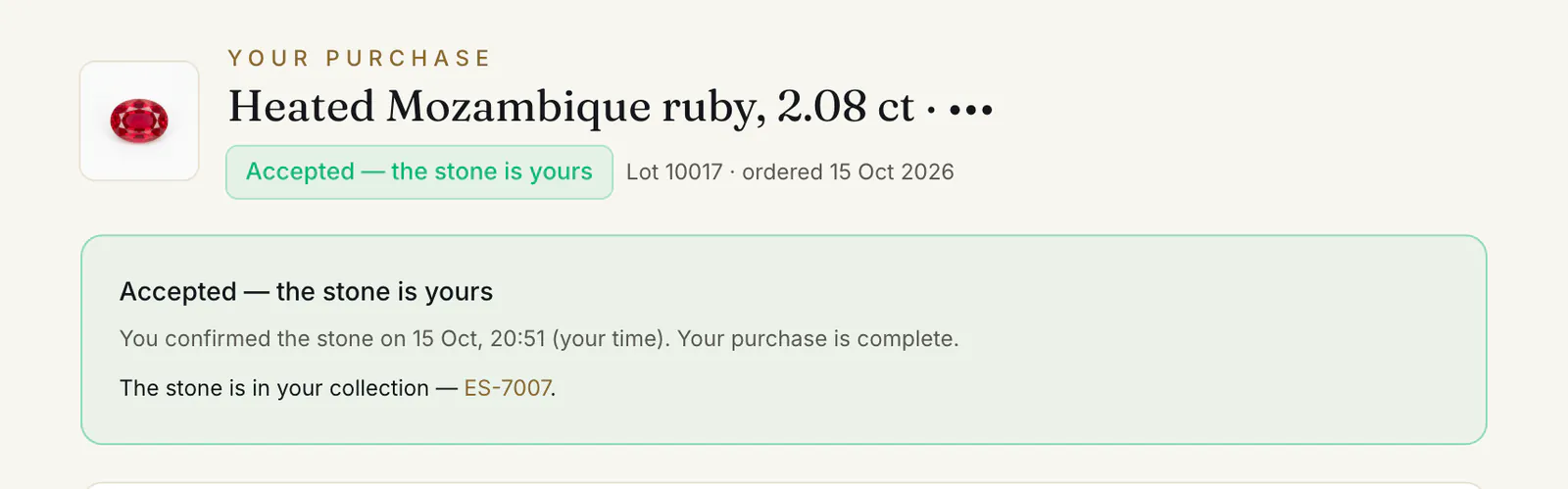
- Bought on Everystone. Every stone you buy joins your Owner workspace when the purchase is accepted. If you had no Owner workspace, one is added to your account then. A stone that already had a record with us brings its record and its checks; for one that had none, a record is made for you — the seller's description, marked “Seller-declared” until our desk verifies the stone. If you paid for a Passport or a lab check, that verification of the record is already under way when it appears, and its ticks follow once it is done. Your order page then shows “Accepted — the stone is yours” ① and says “The stone is in your collection” ②, with a link to the stone's page.
- Brought in. A stone you own from elsewhere joins once the desk has verified it — see Bring in a stone you own.
How a stone joins your collection, and what you can do with it
Bought on Everystone
Moves in when the purchase is accepted
Bought elsewhere
Bring in a stone
Owner workspace
“Your collection”
Keep it
On record, with its passport
Its public page is there from one tick (✔). A Passport is $750, once.Vault it
Custody
3.5% of documented value a year, all-in — Passport and custody when you buy from $30,000, or Vault and insure it when you bring one in.Sell it
Sell this stone
With your identity verified. The owner account, $20 a month, is paid when a lot goes live; commission: no commission while we launch under $10,000, 5% from $10,000.
The dashboard
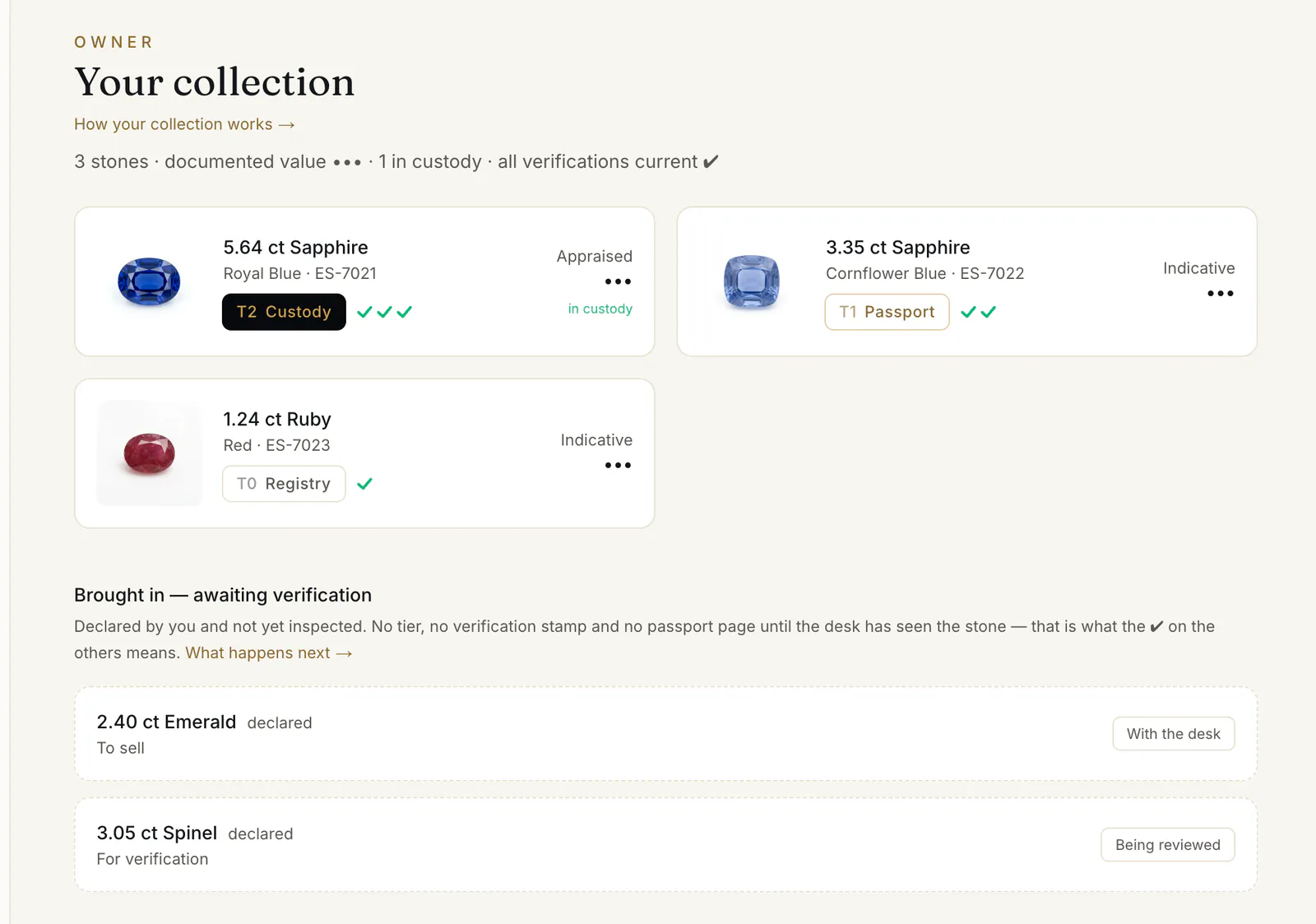
“Your collection” opens with the number of stones, their documented value and how many are in custody ①. Each stone is a card: its photo, tier badge, verification stamp ② and value — “Appraised” ③ once a formal appraisal exists, “Indicative” until then — and “in custody” where it applies.
Two more groups appear when they have something in them: “Brought in — awaiting verification” ④ for stones the desk has not seen yet, and “Your sales” at the top when a buyer has ordered one of your lots.
A stone's page
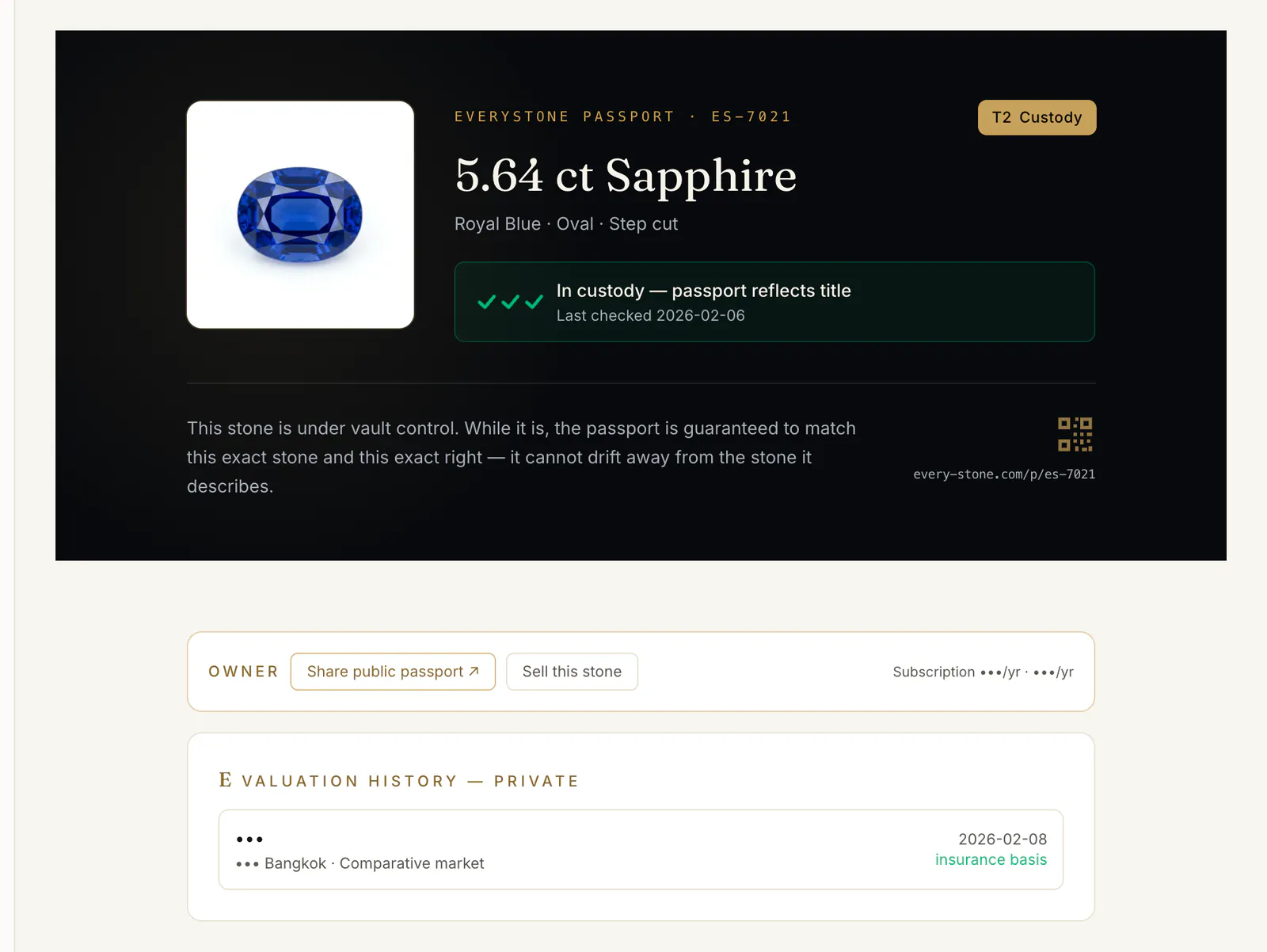
Open a card from your collection. You see the same passport the world sees, plus a private part that is only yours:
- Share public passport ↗ ① opens the stone's public page in a new tab — copy its address from there to send to anyone. It is there for stones with at least one tick (✔).
- Sell this stone ② starts a sale — see Sell a stone you own.
- “Valuation history — private” ③: the appraisals and what the insurance is based on. Never shown publicly.
Custody and what it costs
Custody keeps the stone in a vault in Bangkok's free zone, insured at its documented value, with the passport reflecting your title. It can be sold from there without travelling. A stone goes into custody in one of two ways: you choose Passport and custody when you buy a stone from $30,000, or you choose Vault and insure it when you bring a stone in.
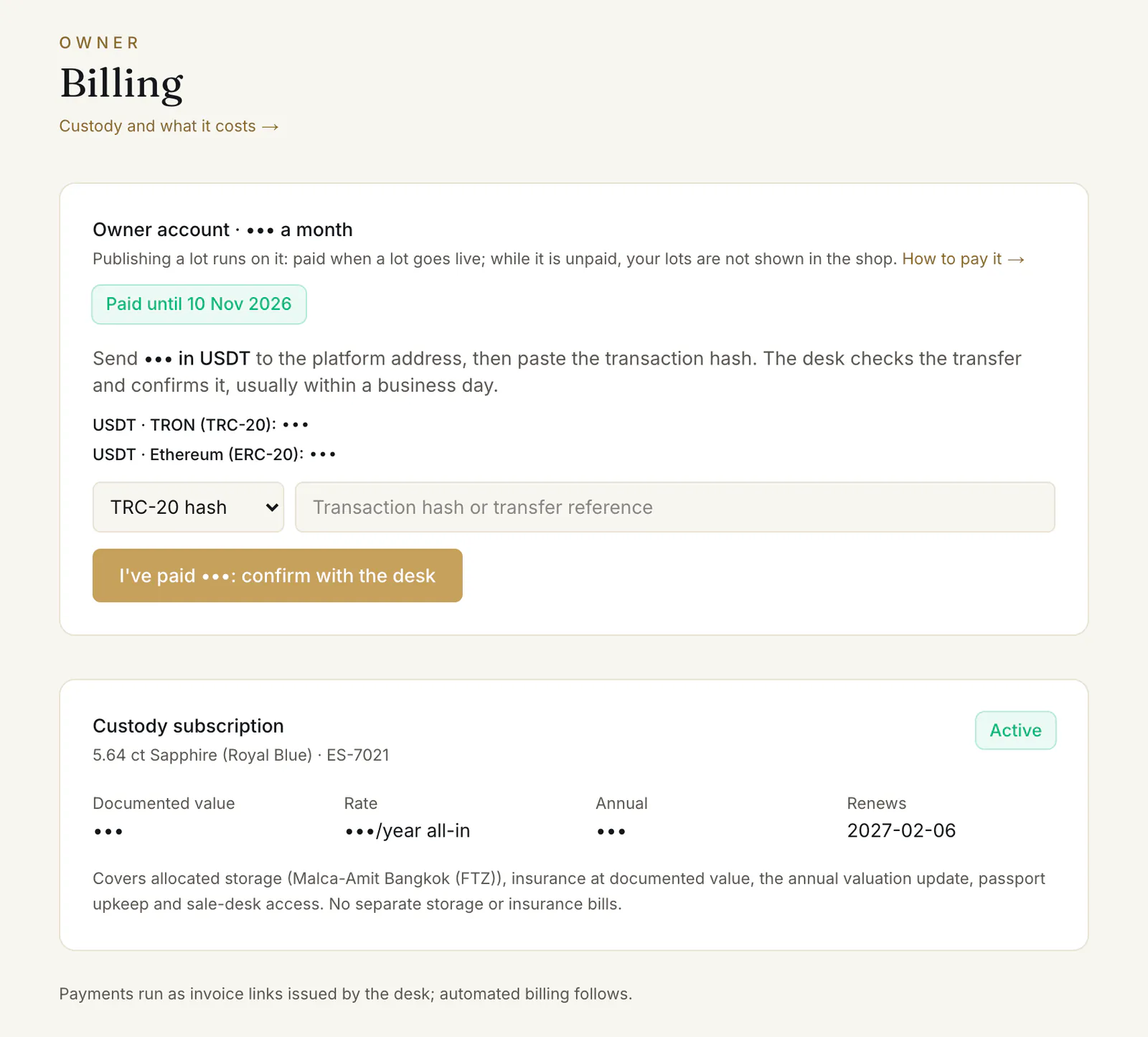
Billing in the Owner menu lists every stone in custody ① with its “Documented value” ②, “Rate”, “Annual” amount and the date it “Renews”. The rate is 3.5% a year, all-in: “No separate storage or insurance bills.” A stone bought from custody brings its subscription with it. “Payments run as invoice links issued by the desk; automated billing follows.”
The same page shows your owner account ③ — what selling a stone runs on — as “Not active”, paid until a date, or lapsed.
Settings: identity and heirs
Settings shows your name, your email and where your identity check stands: “Identity verified”, “Identity check in review”, “Identity check declined” or “Identity not verified yet”. Your identity is never shown on a public passport page.
“Heir pack recipient” is the person we should reach about your stones if you cannot be reached yourself. To name them:
- 1.Open Settings in the Owner menu.
- 2.Under “Heir pack recipient”, type a name and an email or phone number.
- 3.Press Save. The page then says “On record.”
The desk releases an heir pack against proof, by a person, never automatically. You can change or clear the contact at any time the same way.
Common problems
The value says “Indicative”
“No formal appraisal yet.” An appraisal is set when the stone enters custody; it then becomes the basis for the insurance and the subscription.
A stone I bought is not in my collection
A stone moves here when the purchase is accepted — after your check. If it has been accepted and the stone is still missing, write to the desk through the contact page.
Read next
- Next in Collectors & ownersAdding a lab check, a Passport or custody to your purchaseWhat you can add to a stone at checkout, what it costs by price band, why it is billed once the stone is confirmed, and what "not refundable" means.
- RelatedSelling a stone you own, as a private ownerHow a private owner puts a stone from their collection on the shop — identity check, price, delivery terms, the owner account, the review — and the costs.
- RelatedBring in a stone you already ownHow to tell the desk about a stone you own — to record it, verify it, vault it or sell it — and how to follow the request until it joins your collection.
- RelatedReading a lot: the check marks, the verification levels and the passportWhat ✓ and ○ mean on a card, what the four verification levels say, when a stone has a public passport, and how to filter the shop by what is checked.
Something here doesn't match what you see? Tell us — write to the desk.