

- Who it's for
- Buyers with an order waiting for payment — and with a second payment, once the stone is confirmed.
- What you need ready
- Your order page — on your dashboard under "Needs your attention".
- USDT in a wallet or an exchange account that can send on the TRON (TRC-20) or Ethereum (ERC-20) network.
- How long it takes
- As long as your wallet takes. The order page moves on its own once the payment is in.
- What it costs
- The amount on your order page, nothing more.
1. Open the payment panel
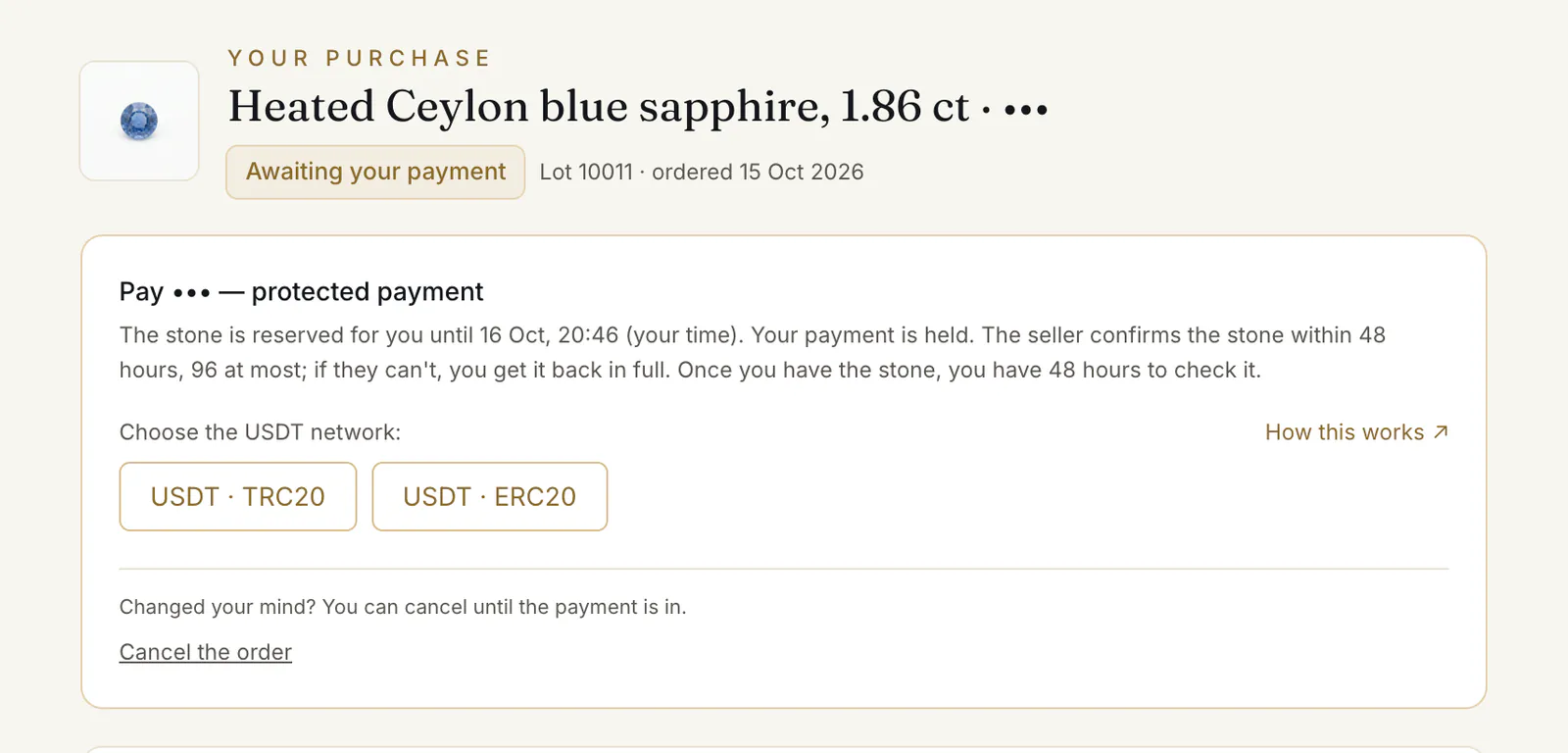
Your order page opens on the panel Pay [amount] — protected payment ①. It says how long the stone is reserved for you, and repeats the promise.
2. Choose the network
“Choose the USDT network:” press USDT · TRC20 or USDT · ERC20 ② — whichever the page offers.
Choosing a network renews the reservation: it then runs 24 hours from that moment, but never longer than 48 hours from when you ordered.
The clocks of an order, to scale
Before you pay · from the moment you order
- 0–24 h the stone is reserved for you
- 24–48 h choosing the network renews the reservation from that moment — never past 48 hours from your order
- Not paid by then: the order is cancelled and the stone goes back on the shop.
After you pay · from the moment your payment is in
- 0–48 h the seller confirms the stone
- 48–96 h if it takes longer, the latest is 96 hours after your payment
- Not confirmed by then: the order closes by itself and your payment comes back in full.
Once you have the stone · from your “I've received the stone”, or our desk's mark from the tracking
- 0–48 h your check: confirm the stone, or raise a dispute
- 48–96 h more time, if you ask and our desk extends it — 48 hours each time
- No word from you by the end: the stone counts as accepted.
If you dispute the stone · from the return instructions our desk sends you
- 0–48 h send the stone back insured, and enter its tracking and seal numbers
- Not sent by then: the dispute is withdrawn and the stone counts as accepted.
If our desk asks for your identity check · from the request
- 0–48 h send it; once it is with our desk, its decision counts, not the clock
- Not sent by then: the order is cancelled and your payment comes back in full.
If the page says “We send the payment details to” your email address instead, the details come by letter. The page still moves on its own once your payment is in.
3. Send exactly the amount shown
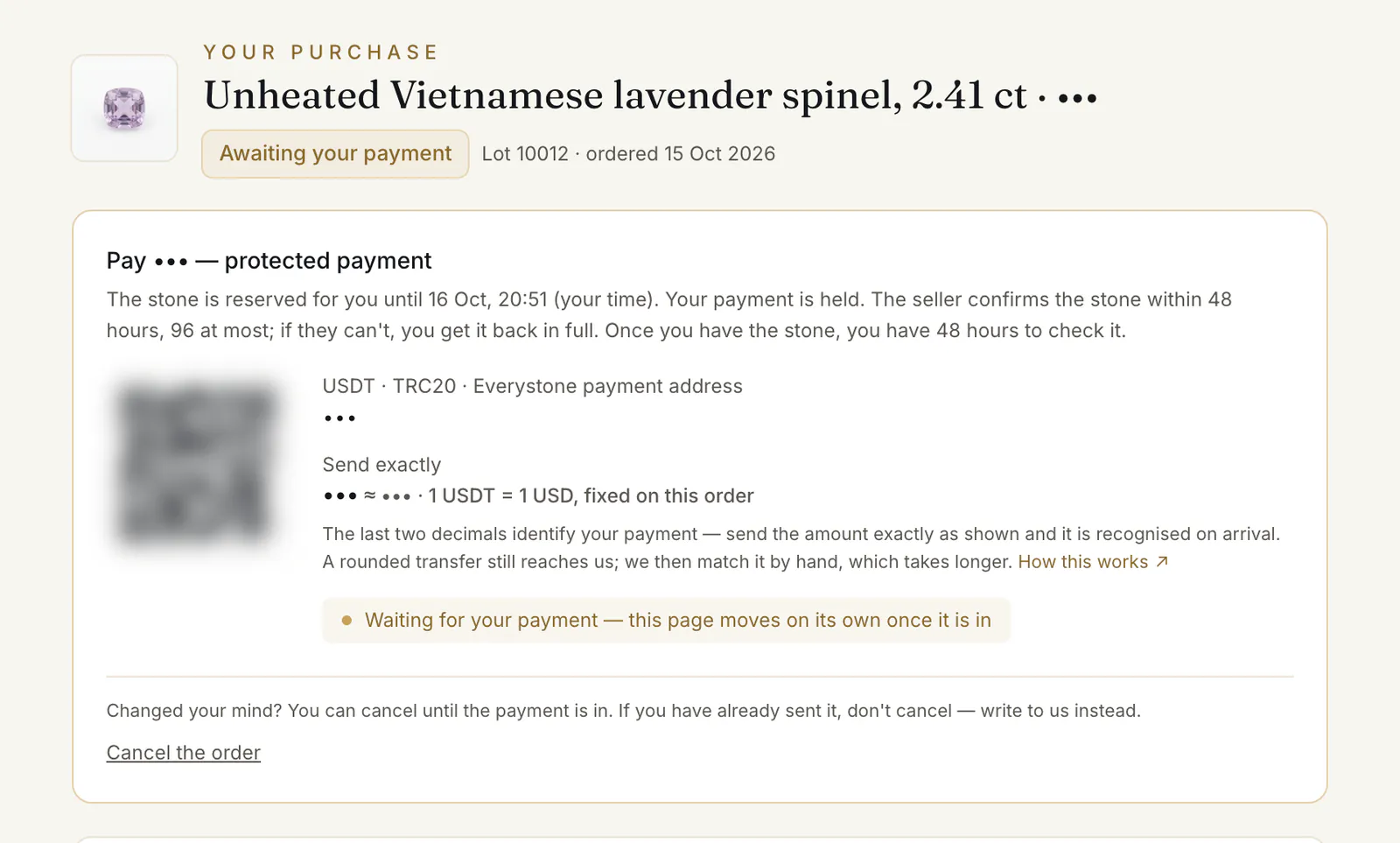
The panel shows a QR code ①, the “Everystone payment address” and, under “Send exactly” ②, the amount — something like 4,120.07 USDT. “1 USDT = 1 USD, fixed on this order”.
Before you press send in your wallet:
- The network must be the one you chose. The address belongs to that network.
- The amount must arrive exactly. Some exchanges take their withdrawal fee out of the amount sent — if yours does, add the fee so that what arrives is the amount on the page.
- One transfer for the whole amount.
4. Wait for the page to move
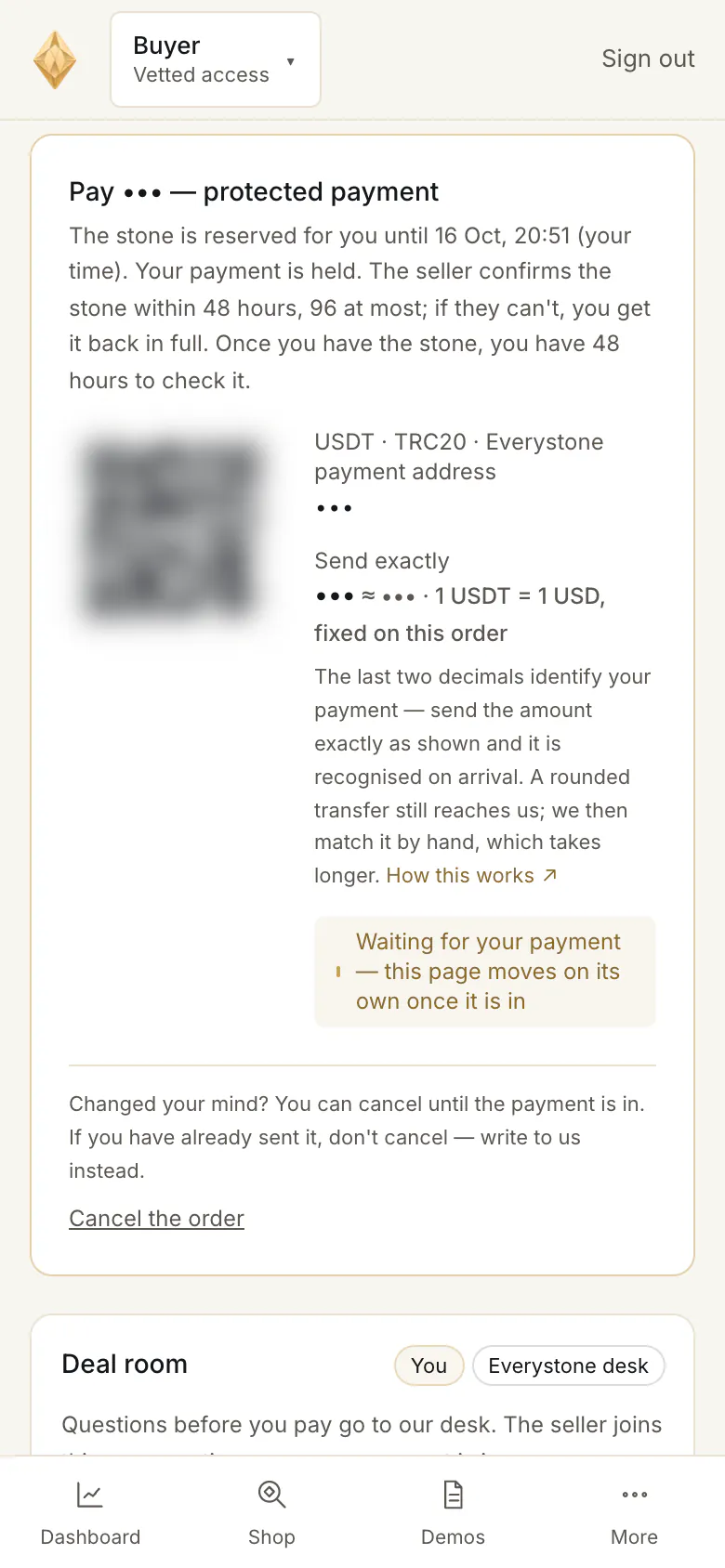
While the transfer travels, the panel says “Waiting for your payment — this page moves on its own once it is in” ③. When it arrives, the page shows “Payment received — thank you” and a letter confirms it. Keep the page open or come back later — nothing else is needed from you.
The second payment
If you added a lab check, a Passport or custody — or chose a delivery that is quoted once the stone is confirmed — a second panel appears when the stone is confirmed: Second payment: [amount], with what it is for. You pay it the same way, network first, then the exact amount. “Your stone is confirmed. This payment is made once and is not refundable.”
Cancelling before you pay
“Changed your mind? You can cancel until the payment is in.” Press Cancel the order ③ at the bottom of the panel. If you have already sent the money, do not cancel — write to us instead.
A cancel more than one hour after ordering means you can order that stone again only 24 hours later; the panel warns you when that applies.
Common problems
My transfer was rounded, or a little short
“A rounded transfer still reaches us; we then match it by hand, which takes longer.” If the page has not moved after a while, reply to your order letter with the transaction hash.
The reservation ran out before the money arrived
After 24 hours unpaid, the order is cancelled and the stone goes back on the shop. If your money arrives after that, the order page says “A payment for it arrived after it was cancelled.” Our desk writes to you: the order goes ahead, or the money comes back in full.
I sent it on the wrong network, or to another address
Write to the desk at once through the contact page, with the transaction hash and your order. Nothing on the order page can undo a transfer.
“Before paying: a short identity check”
If another order of yours has already been paid and your identity is not verified yet, the panel shows “Before paying: a short identity check.” The payment details appear once it is verified — see The identity check.
“This stone is no longer for sale”
“This stone is no longer for sale, so this order cannot be paid. Cancel it below.” If you have already sent the payment, write to us — it comes back to you in full.
Read next
- Next in BuyersAdding a lab check, a Passport or custody to your purchaseWhat you can add to a stone at checkout, what it costs by price band, why it is billed once the stone is confirmed, and what "not refundable" means.
- RelatedHow to buy a stone: from the lot page to your orderOpen a lot, press Buy with protected payment, choose what to add and how the stone reaches you, then confirm. What each choice means and what happens next.
- RelatedIf the stone is not available — and how your money comes backWhen an order closes without a sale — no stone, no confirmation in time, a missing identity check, a dispute upheld — and how the refund works.
Something here doesn't match what you see? Tell us — write to the desk.