

- Who it's for
- Anyone buying from the shop — private buyers, and dealers and jewelry stores sourcing stones.
- What you need ready
- An Everystone account with a confirmed email.
- USDT to pay with. The order page shows the networks it takes.
- Optional: your passport or national ID, for the short identity check.
- How long it takes
- A few minutes to order. The stone is then reserved for you for 24 hours while you pay.
- What it costs
- The price, the buyer's premium (3–7%, by price) and the settlement fee of 3% (at least $75). Delivery and anything you add are shown before you confirm.
Before you start
- You can browse without an account. Every lot says what has been checked about the seller and the stone — see Reading a lot.
- To order, you need an account with a confirmed email — see Create an account.
- You can have up to 3 orders waiting for payment at a time.
1. Open the lot
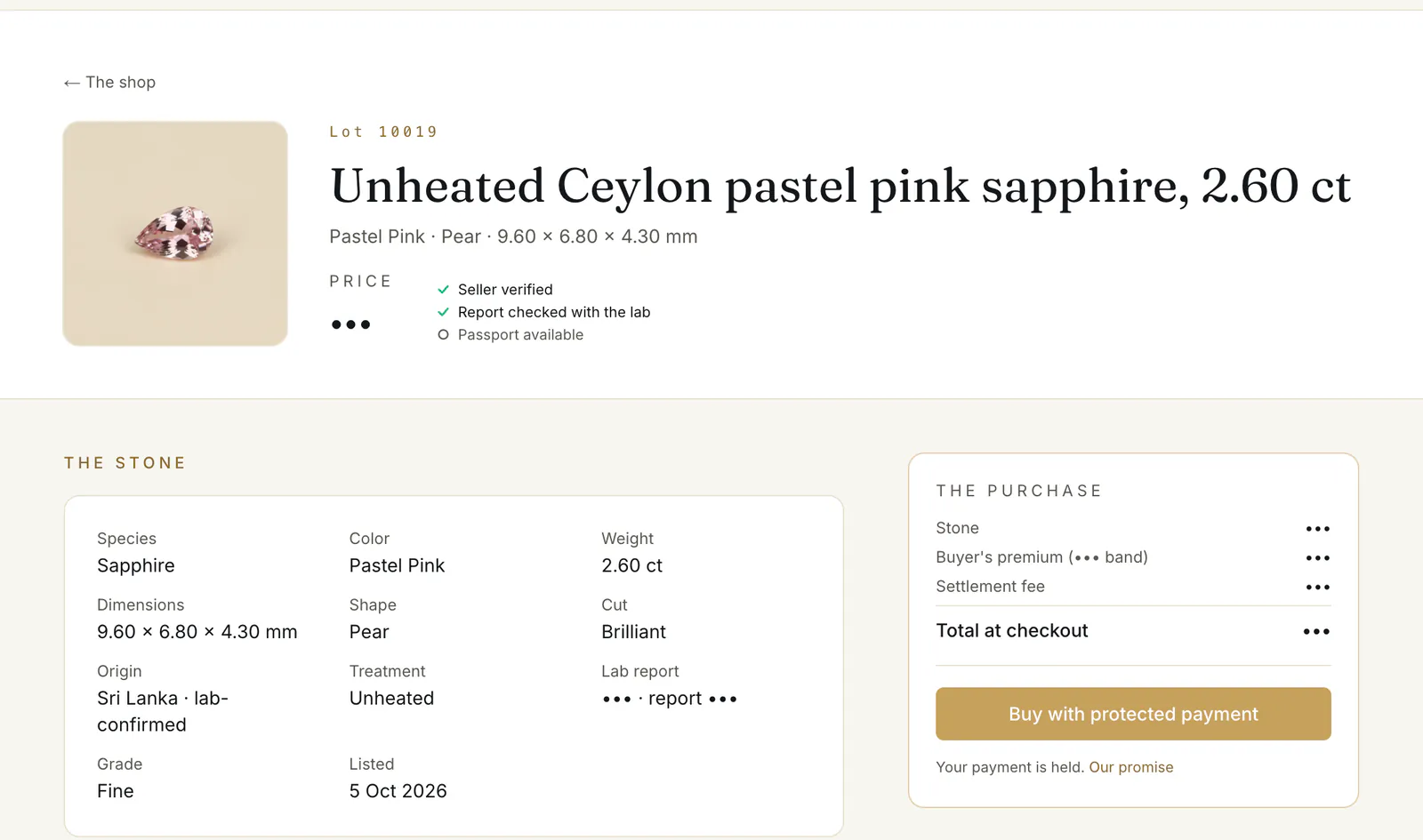
The lot page puts the money first. The box “The purchase” ② lists the stone's price, the buyer's premium and the settlement fee, and the “Total at checkout”. The buyer's premium is 7% under $1,000, 5% from $1,000 to under $5,000 and 3% from $5,000. The settlement fee is 3% (at least $75).
What you pay on top of the price
$500 stone
$35 premium (7%) + $75 settlement fee = 22% on top · you pay $610
$3,000 stone
$150 premium (5%) + $90 settlement fee = 8% on top · you pay $3,240
$7,500 stone
$225 premium (3%) + $225 settlement fee = 6% on top · you pay $7,950
$20,000 stone
$600 premium (3%) + $600 settlement fee = 6% on top · you pay $21,200
$45,000 stone
$1,350 premium (3%) + $1,350 settlement fee = 6% on top · you pay $47,700
Below it you find the stone's facts, “Who sells it” and “What our desk checked about this seller”, “What's checked” about the stone, “Delivery and options”, and “Our promise”.
Press Buy with protected payment ③. If you are not signed in, you sign in or create an account first and come straight back to the same checkout.
2. Check the stone and the amount
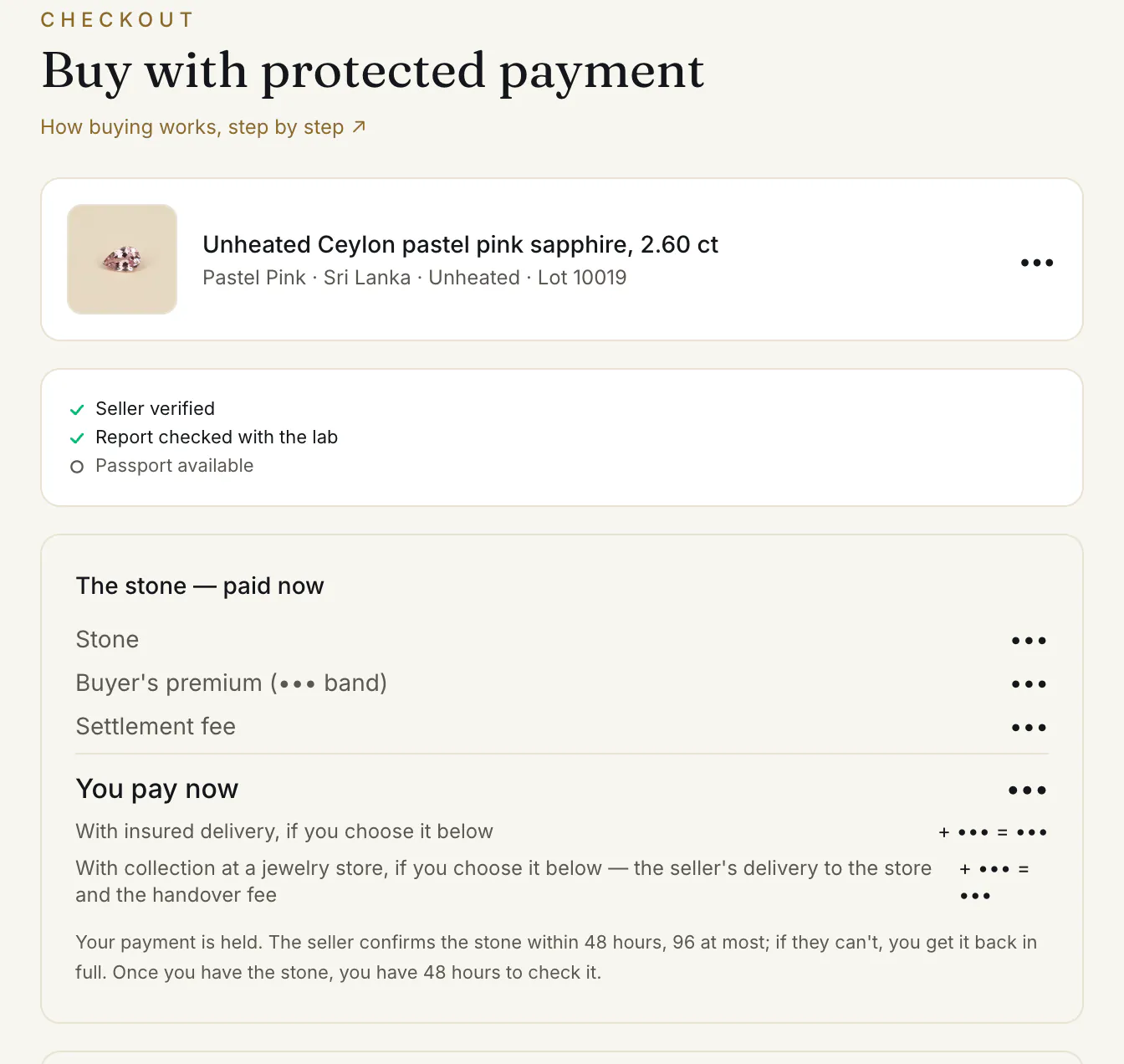
The checkout opens with the stone, its check marks and the box “The stone — paid now” ①: the stone, the premium, the settlement fee and “You pay now” ②. Under it is the promise ③:
A price marked ≈ was converted from the seller's currency. The amount is fixed when you confirm.
3. Add something — or nothing
“Add to your purchase — optional” lists what this stone's price allows: an independent lab check, an Everystone Passport, or custody. Nothing, thank you stays selected unless you pick something. What you add is not paid now: “Billed only once the stone is confirmed, as a second payment. Paid once, and not refundable.” The details are in Lab check, Passport or custody.
4. Choose how it reaches you
“How it reaches you” has no default — pick one:
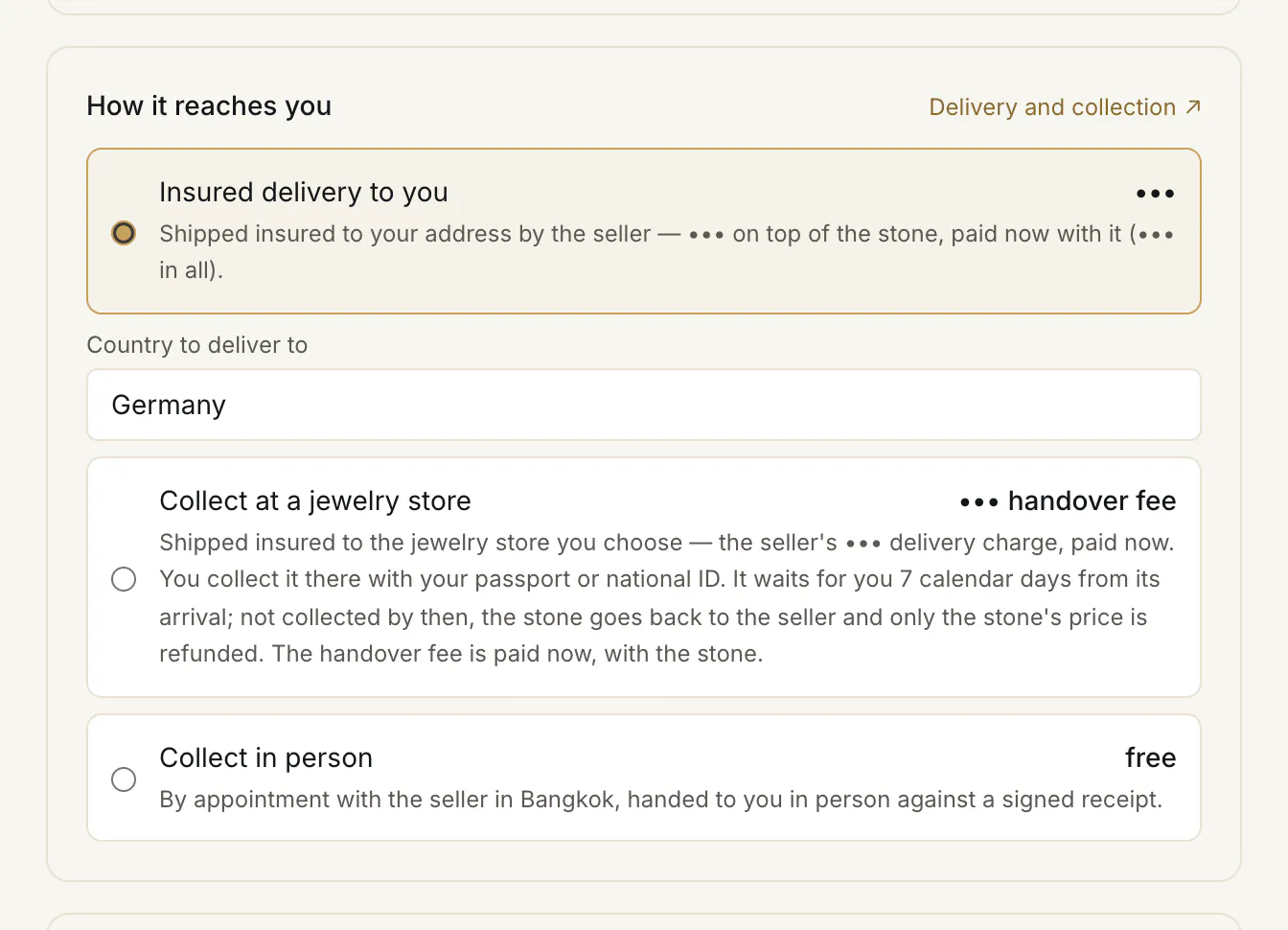
- Insured delivery to you ①, with Country to deliver to ②. Beside it you see whether delivery is included in the price, the seller's charge, or a price from $60 quoted later.
- Collect at a jewelry store ③ — shipped insured to a store you pick from the list, for a handover fee of $30 paid with the stone; you collect it there with your ID within 7 calendar days of its arrival (a business, through the person it authorises with a notarised power of attorney). Not collected in time, it goes back to the seller and only the stone's price is refunded. See Delivery and collection.
- Collect in person ④ (or Collect in Bangkok) — free, by appointment, handed to you against a signed receipt.
If you add custody, this choice disappears: the stone stays in the vault in your name. More in Delivery and collection.
5. The identity check — now, or later
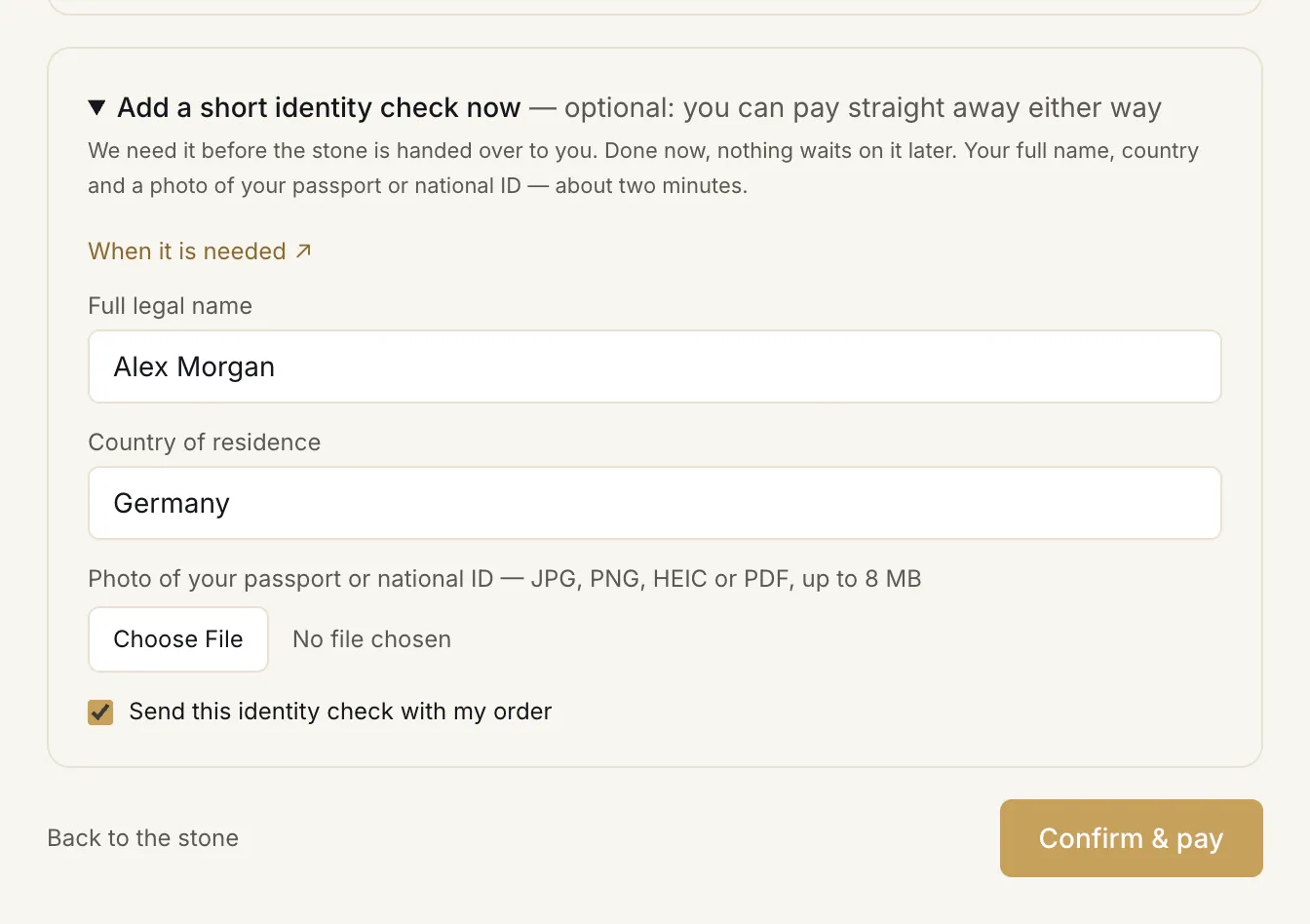
If your identity is not verified yet, the checkout offers Add a short identity check now ①: your full name, country and a photo of your passport or national ID ②. It is optional — “optional: you can pay straight away either way” — but it is needed before the stone is handed over to you, so doing it now means nothing waits on it later. To send it, fill it in and tick Send this identity check with my order ③. More in The identity check.
6. Confirm
Press Confirm & pay ④. The button shows the amount — except when the seller charges for delivery, where the total depends on your choice; the box at the top then shows it with delivery added.
Your order is placed. The stone is reserved for you for 24 hours, a letter confirms the order and its amount, and you land on your order page to pay — see Paying in USDT.
What happens after you pay
A purchase, step by step
- You
Order
Buy with protected payment, choose what to add and how the stone reaches you, then Confirm & pay.
Reserved for you for 24 hoursYour order page says “Awaiting your payment”
- You
Pay
Send the exact amount in USDT. The money is held until you confirm the stone.
Your order page says “Payment received”
- The seller
Confirms the stone
If you added a lab check, a Passport or custody, its payment is due now — the second one.
Within 48 hours, 96 hours at mostYour order page says “Under way”
If not
Not confirmed in time, or not available
The order closes and your payment comes back in full.
Your order page says “Not available”“Refunded”
- The seller
Sends it to you
Shipped insured with a tracking number, or handed over by appointment — once your side is complete: any second payment in, your identity check verified.
Your order page says “On its way to you” or “Handed over — confirm you have it”
- You
Say you have it
I've received the stone — or our desk marks it delivered from the tracking, whichever comes first. A stone placed in custody in your name: our desk's mark.
Your order page says “Received — your 48-hour check”
- You
Check it
Confirm the stone. Silence counts as acceptance.
48 hoursYour order page says “Accepted — the stone is yours”
If not
It does not match its listing
A dispute, with the written conclusion of a gem lab or a jewelry store of your choice: the stone goes back to be checked, and the payment stays held.
Your order page says “Dispute under review”“Dispute — send the stone back”
- Everystone
Pays the seller
Only after you accept the stone.
Your order page says “Completed”
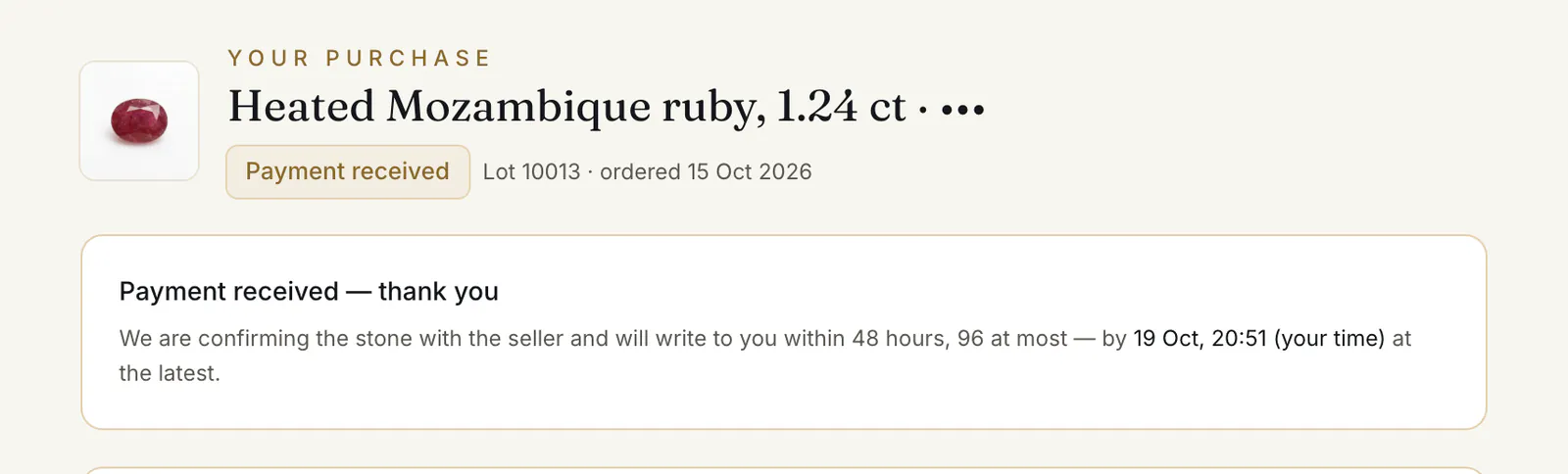
- 1.“Payment received — thank you” ②. We confirm the stone with the seller and write to you within 48 hours, 96 hours at most.
- 2.“Your stone is confirmed — the purchase is under way”. If you added something, the second payment is due now.
- 3.For insured delivery, add your address on the order page under “Delivery address” — the stone ships once it is there (see Delivery and collection). The stone is shipped to you insured, or handed over by appointment. When a tracking number is recorded, it is on your order page and in a letter.
- 4.When the stone is in your hands, press I've received the stone — your order shows “Received — your 48-hour check”. Confirm the stone, or raise a dispute — see Your check.
- 5.“Accepted — the stone is yours”. The stone joins your collection — in a dealer or jewelry store cabinet, your inventory — with what was checked about it, and your order page links to it.
If the seller cannot confirm the stone, your payment comes back in full — see If the stone is not available.
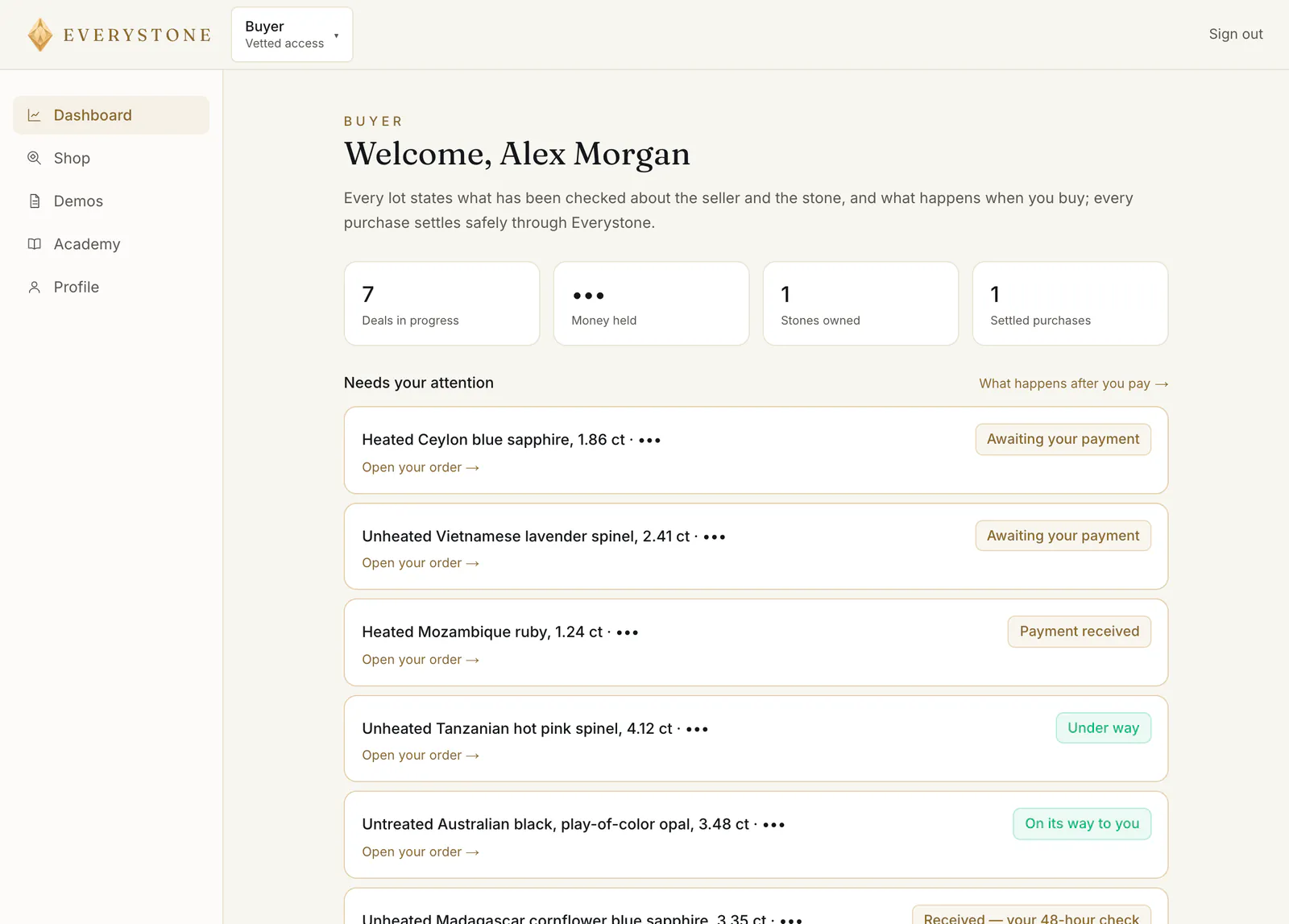
You find your orders on your dashboard under “Needs your attention” ① and “Your purchases”. In a dealer or jewelry store cabinet they are under Deals → Buying.
Common problems
“Confirm your email to buy”
“Confirm your email to buy — we send the link when you register.” Press Send the link again, confirm from your inbox and come back to the page.
Too many orders waiting for payment
The checkout says you have 3 “orders waiting for payment — pay or cancel one of them first.” Pay one, or cancel one on its order page.
“Another buyer has just ordered this stone”
“Another buyer has just ordered this stone — it is reserved for them.” If their order ends unpaid, the stone comes back to the shop.
I can't order a stone I ordered yesterday
If your order of a stone ended unpaid — it ran past its 24 hours, or you cancelled it more than one hour after ordering, or you cancelled it twice in a day — you can order that stone again only 24 hours later. The checkout tells you from when. Anyone else can order it meanwhile.
“Before your next purchase: a short identity check”
Once one of your orders has been paid, your next purchase waits for your identity check. “Before your next purchase: a short identity check.” After it is verified, every purchase goes straight to payment.
“A demo lot”
“A demo lot — it shows how a lot reads and how buying works here, and is not for sale.” Pick another lot from the shop.
Read next
- Next in BuyersThe identity check: when it is needed and how to pass itA short check of who you are: name, country and a photo of your ID. When a buyer or a private seller needs it, how to send it, and what if it is returned.
- RelatedPaying in USDT: the exact amount, step by stepHow to pick the network, why the last two decimals matter, what happens to a rounded transfer, and how long the stone stays reserved while you pay.
- RelatedAdding a lab check, a Passport or custody to your purchaseWhat you can add to a stone at checkout, what it costs by price band, why it is billed once the stone is confirmed, and what "not refundable" means.
- RelatedHow your stone reaches you: insured delivery or collectionThe delivery choices at checkout, who sets the price of insured delivery, how collection by appointment works, and what happens when the stone stays in custody.
Something here doesn't match what you see? Tell us — write to the desk.